|
|
|
|
|
|
|
|
|
|
|
|
|
|
|
|
|
|
|
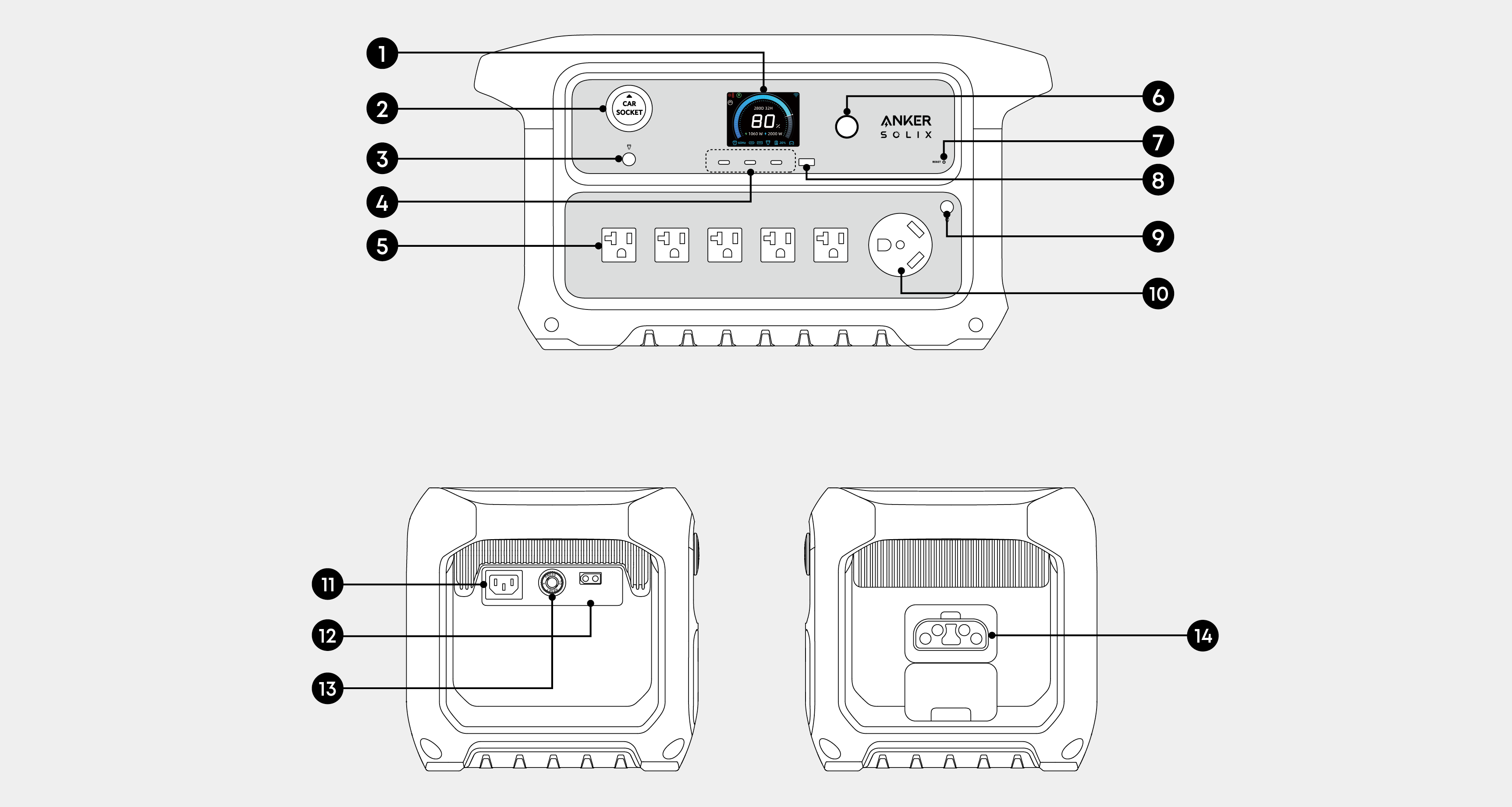
 LCD Screen
 Car Socket
  Car Socket Button
 USB-C Ports
 AC Output Ports
 Main Power Button
 Reset Hole
 USB-A Port
 AC Output Button
 TT-30 Port
 AC Input Port
 XT60i Input Port
 Overload Protection Switch
 Expansion Battery Port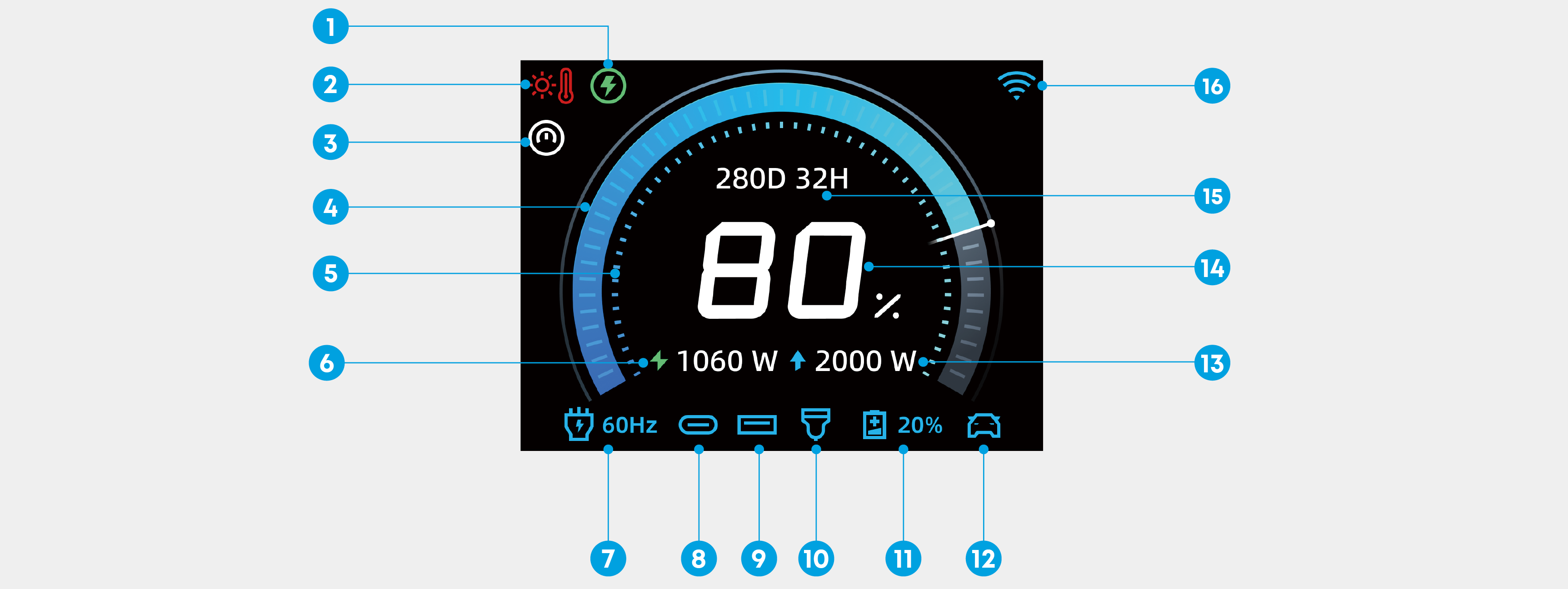
|
|
|
|
|
|
|
If a charging/discharging limit is set, the power station will fully recharge to 100% after 720 hours of operation, regardless of mode or status. This calibrates the battery level. Once fully charged, the power station will return to the state or mode it was in prior to recharging. |
|
|
|
|
|
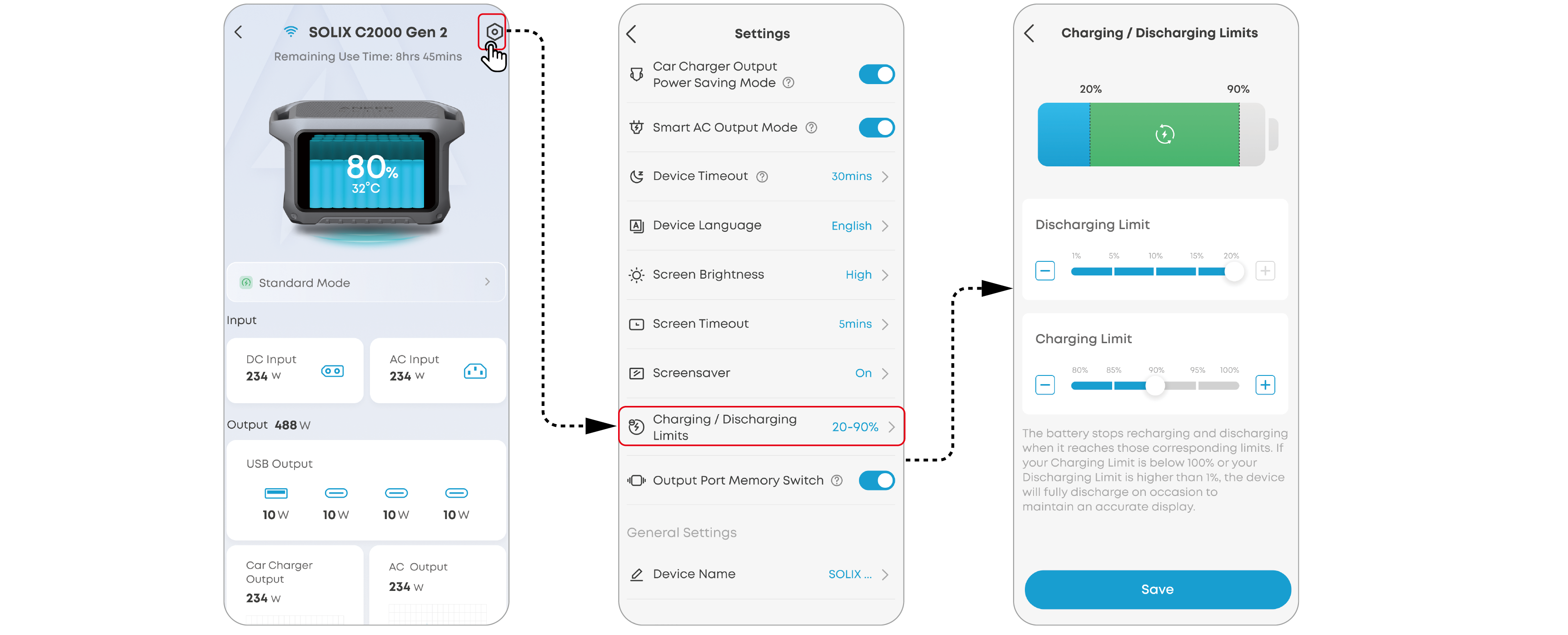
The lower limit can be set between 1% and 20%, while the upper limit can be set between 80% and 100% in the app. |
|
|
|
This icon lights up when the AC output button is pressed. |
|
|
|
|
This icon lights up when the car socket button is pressed. |
|
|
|
|
|
|
|
|
|
|

 Fast Charging Plan is enabled and the battery is currently charging.
 Storm Guard is enabled and the battery is currently charging.
 When this icon appears, stop using the power station and let it cool down until the icon disappears.
 When this icon appears, stop using the power station until the icon disappears.


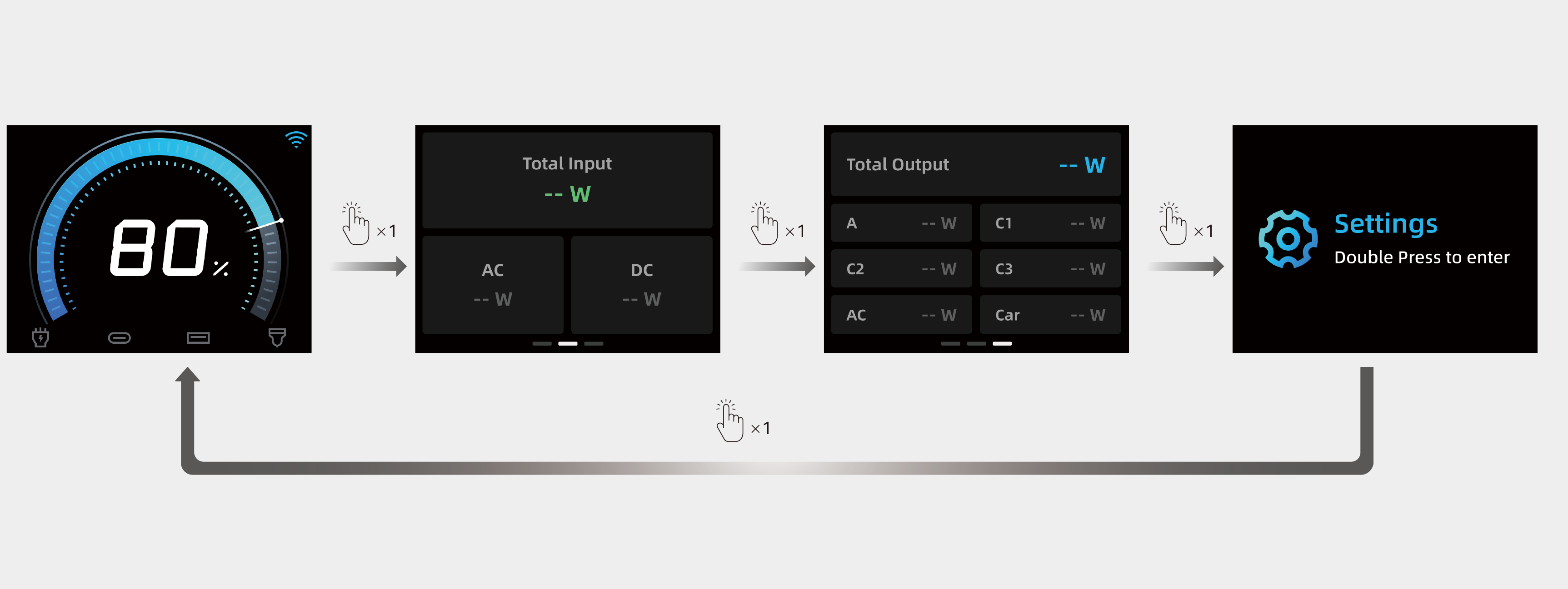
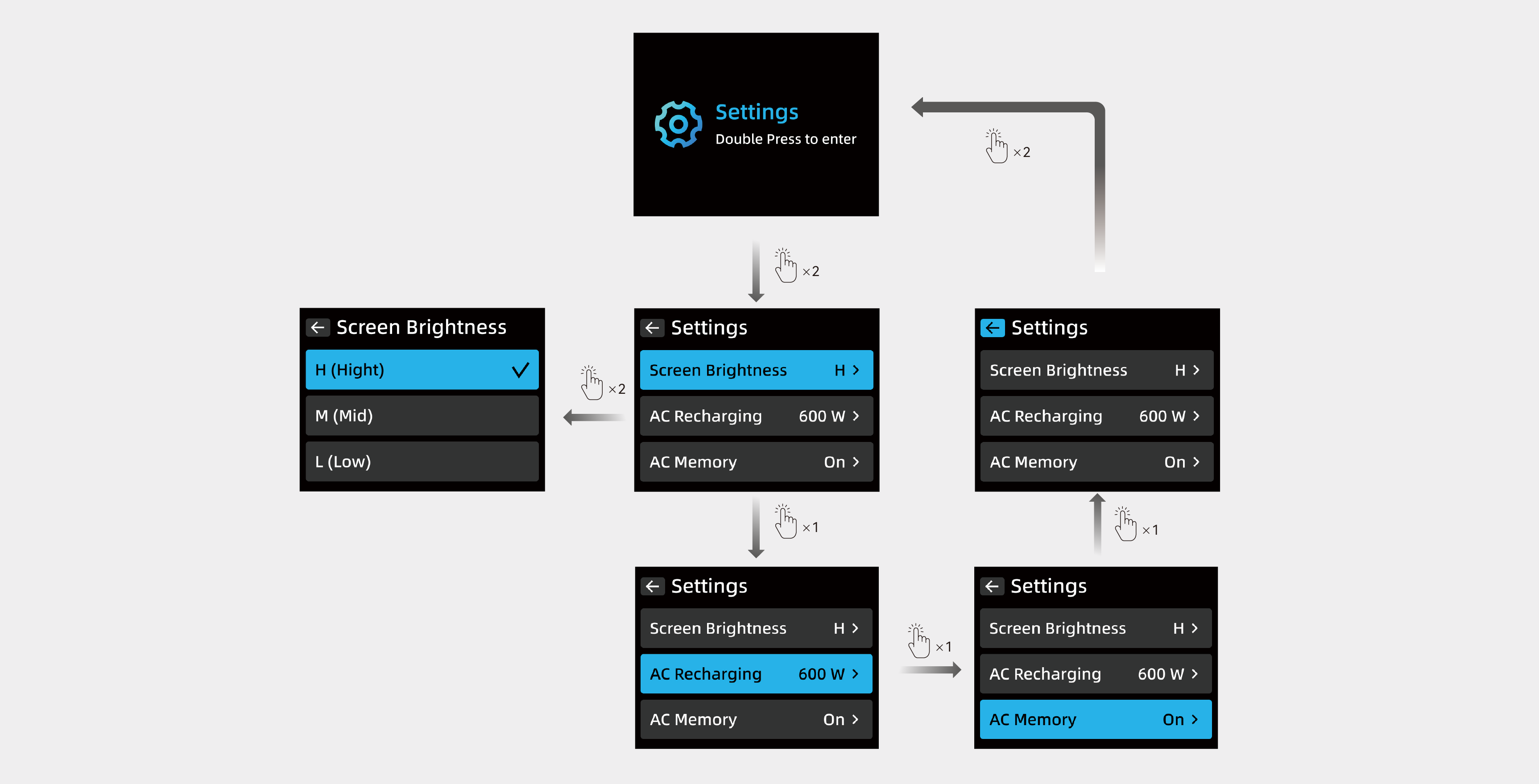
· Turn On Screen: Press the main power button once.
· Switch Interface/Option: Press the main power button once
· Confirm Selection: Press the main power button twice.
· Auto Return: If there is no operation on the interface for 20 seconds, it will automatically return to the main interface.
|
Screen Display |
Status |
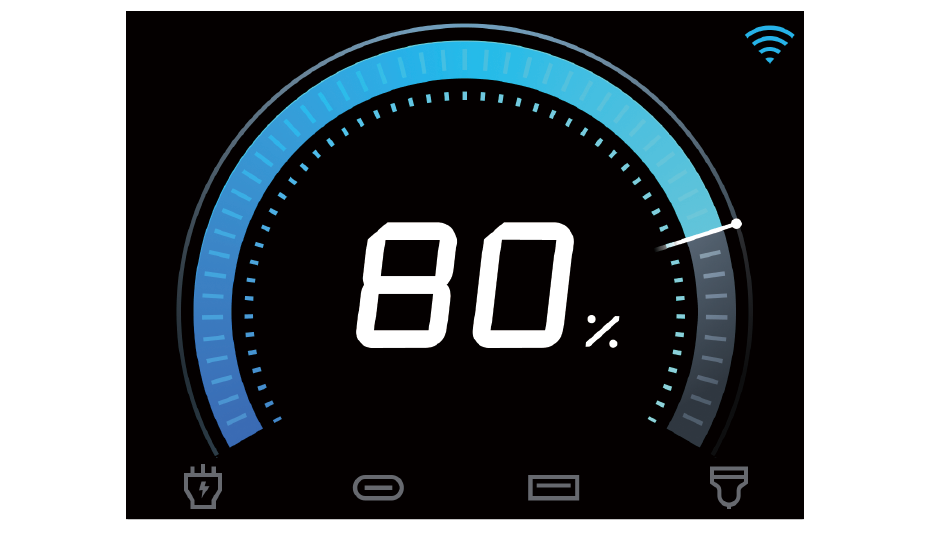
|
No charging or recharging. |
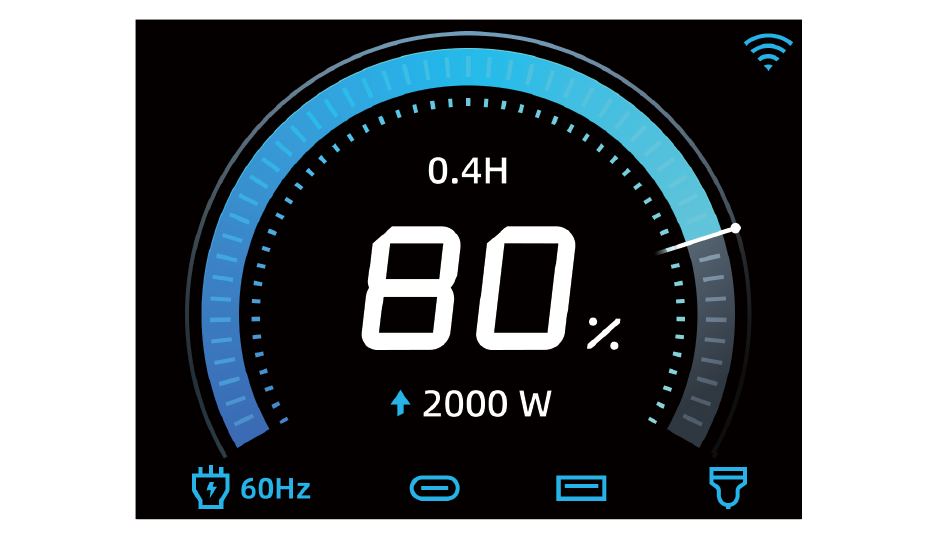
|
Charging the devices. |
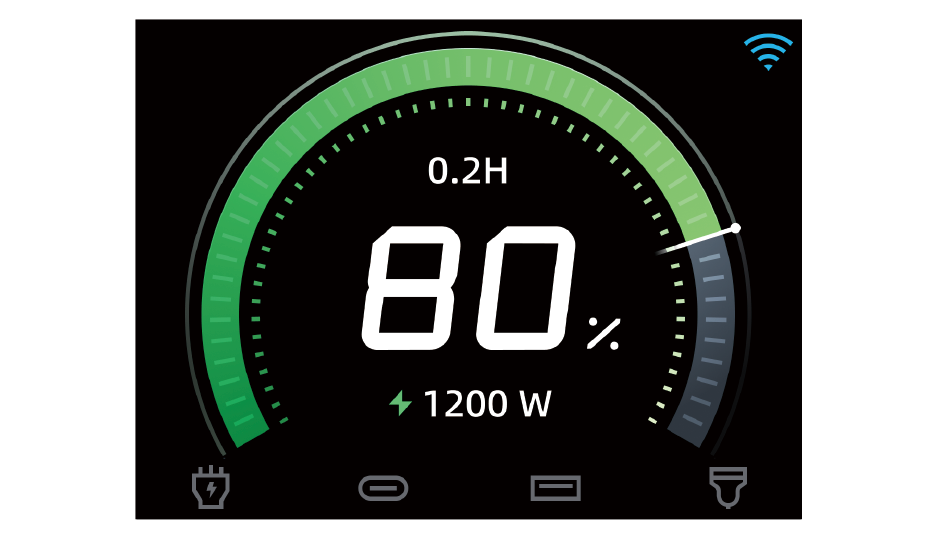
|
Recharging the power station. |
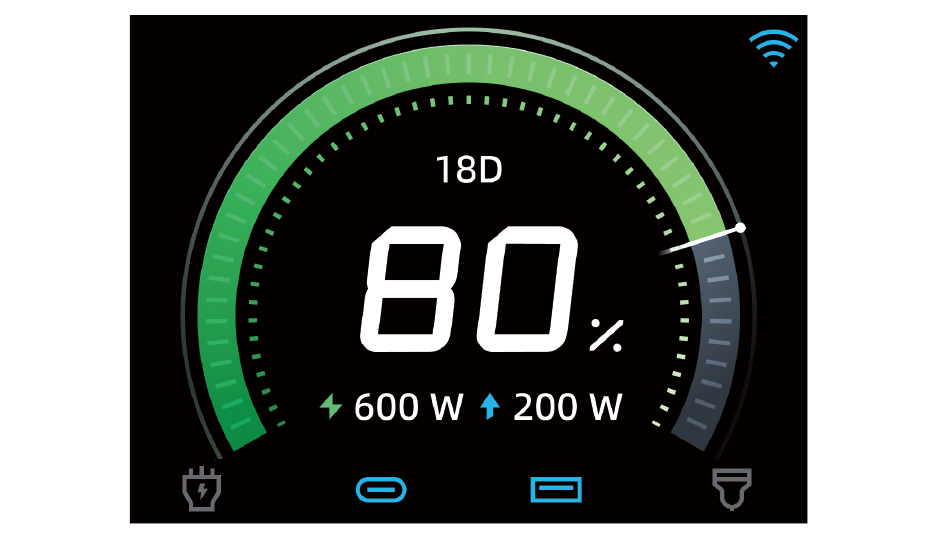
|
Recharging specifications during simultaneous charging and recharging. |
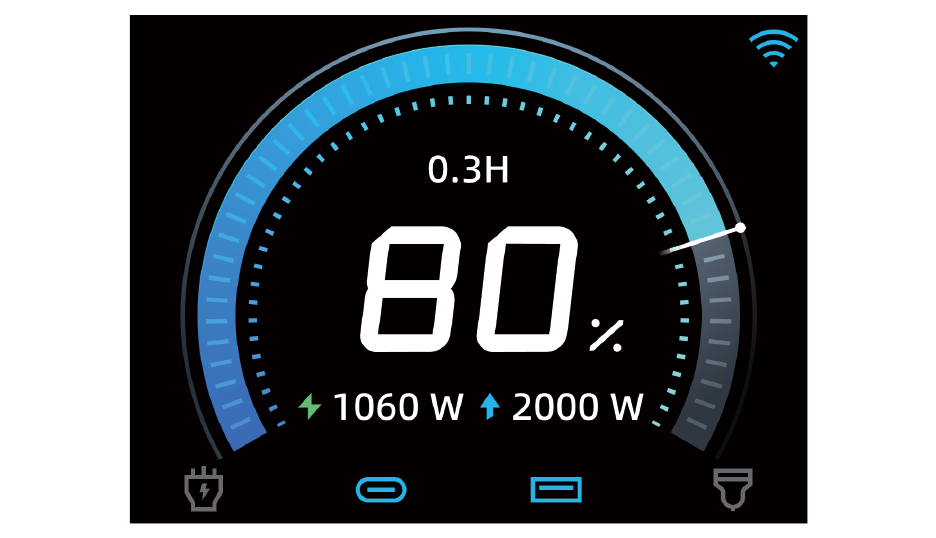
|
Charging specifications during simultaneous charging and recharging. |
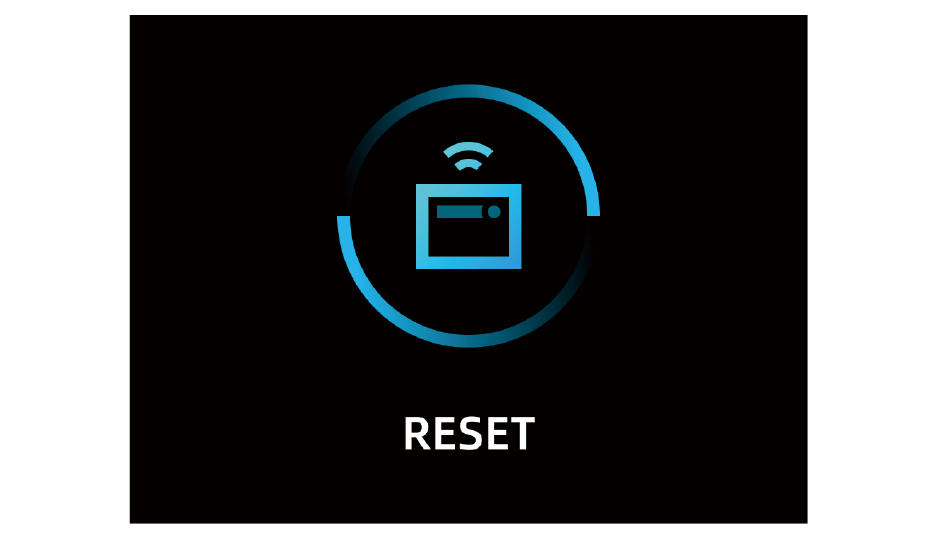
|
Resetting Bluetooth or Wi-Fi. Note: Press the main power button for 7 seconds while the power station is powered off until this icon appears on the screen, indicating a successful IoT reset. |
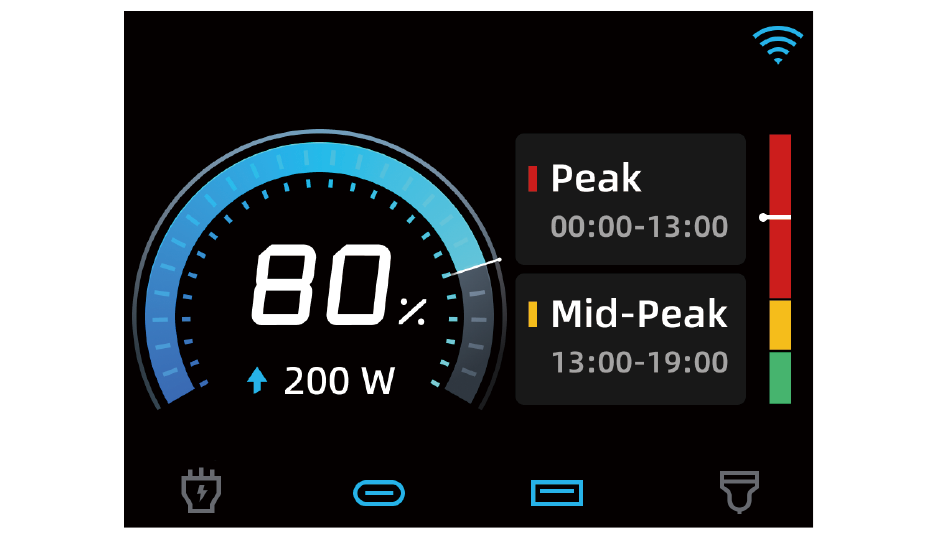
|
Time-of-Use mode. |

|
Silent recharging. Note: Input power is under 1,000W. |

|
Solar recharging. |

|
Charge the device at a voltage greater than or equal to 20V |
|
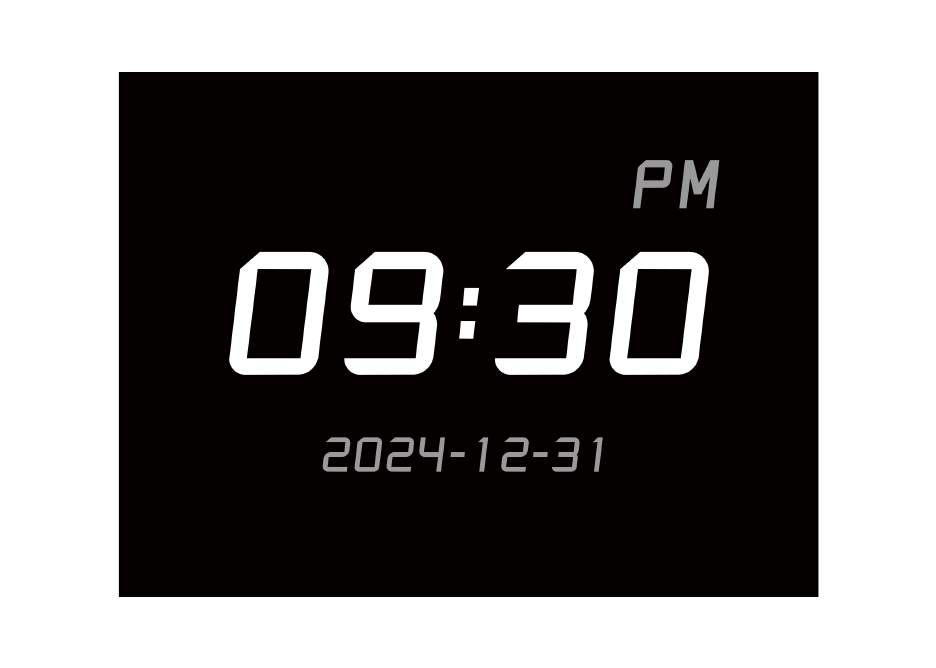
Screensaver: You can set the style and time format of the screensaver in the Anker app. The screensaver will be displayed during recharging and the time periods you set. |
Recharge the power station by connecting to a wall outlet with the AC charging cable. The maximum input power of the AC port is 1,800W.
*For safety and optimal performance, use the original cable only.

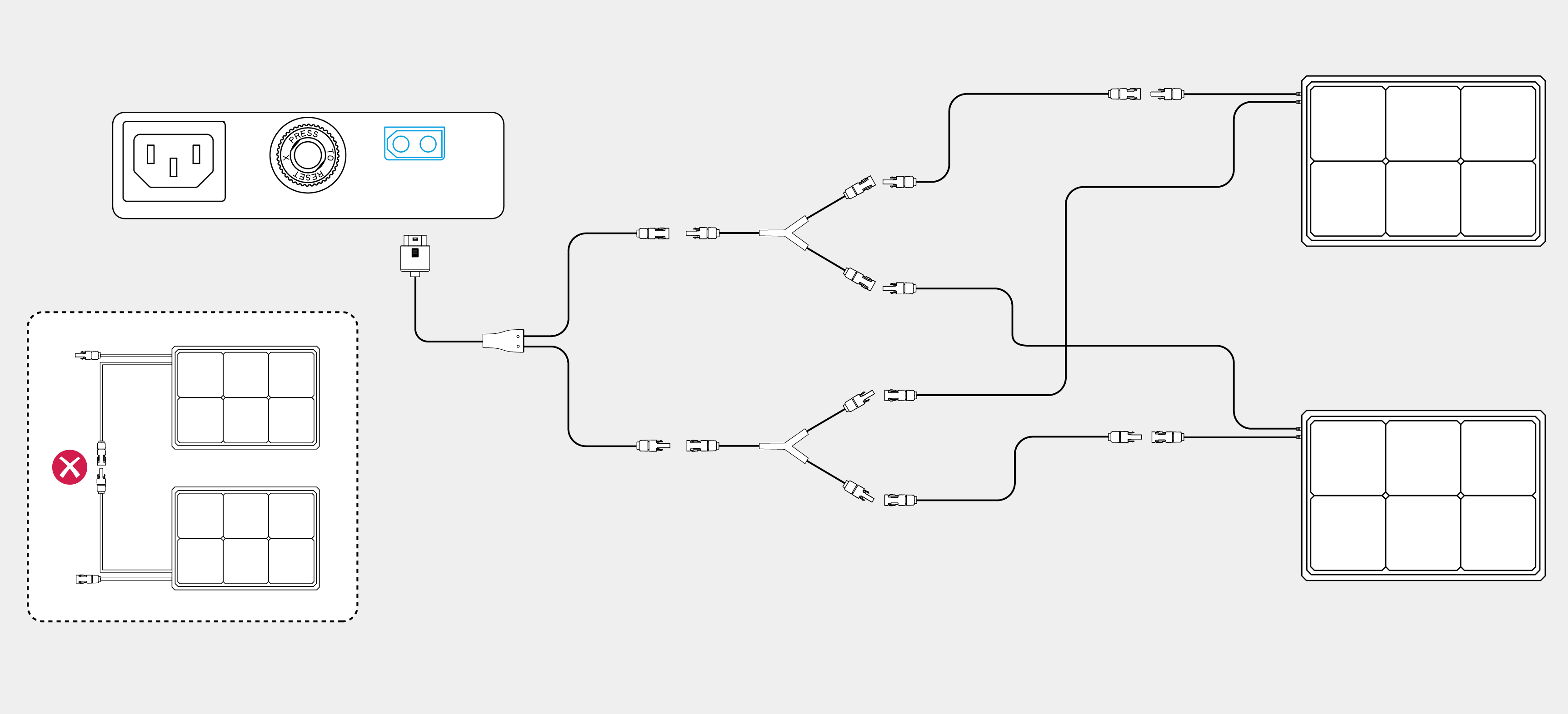
Recharge the power station by connecting the solar panel to the XT60i input port.
|
|
• The solar panels, the PV connector to XT60i charging cable, and the solar panel extension cables need to be purchased separately. • The figure below shows an example of connecting two solar panels. |

Recharge the power station by connecting to a car's output port with the car charging cable.
|
|
The car charging cable needs to be purchased separately. |

Turning On/Off the Power Station
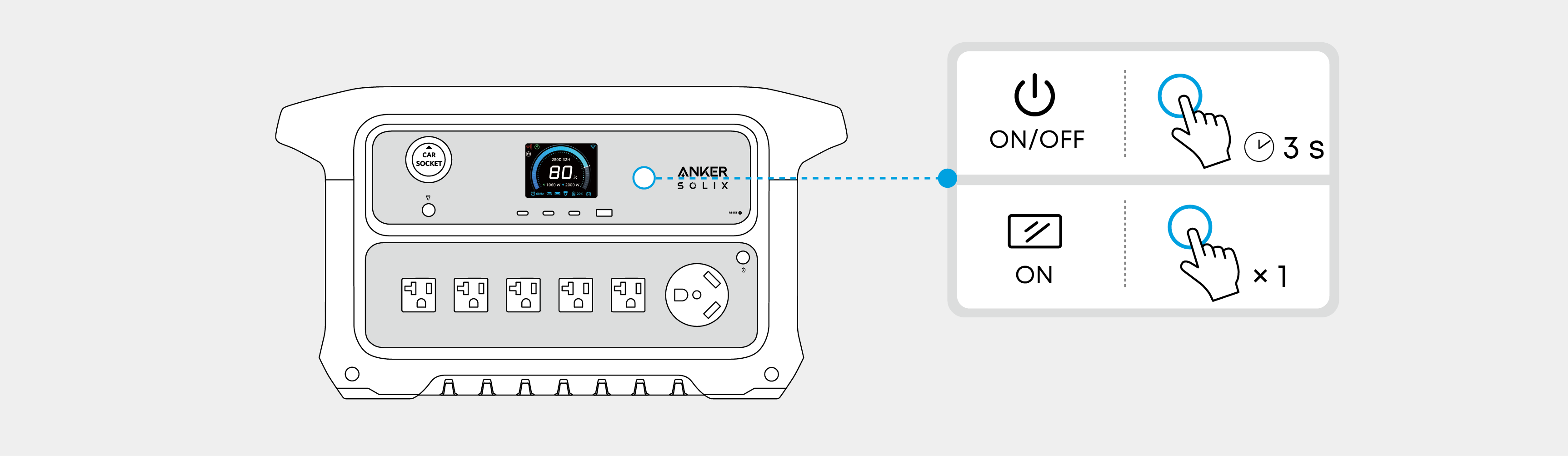
Press the main power button for 3 seconds to turn the power station on or off. Your power station is ready to charge devices once the "Battery Level" digits show on the LCD screen.
|
|
• Press the main power button once to turn the screen on. The screen will be turned off automatically after 30 seconds of lighting up. The auto-off time can be set in the Anker app. • The default standby duration of the power station is 12 hours, which can be set in the Anker app. |
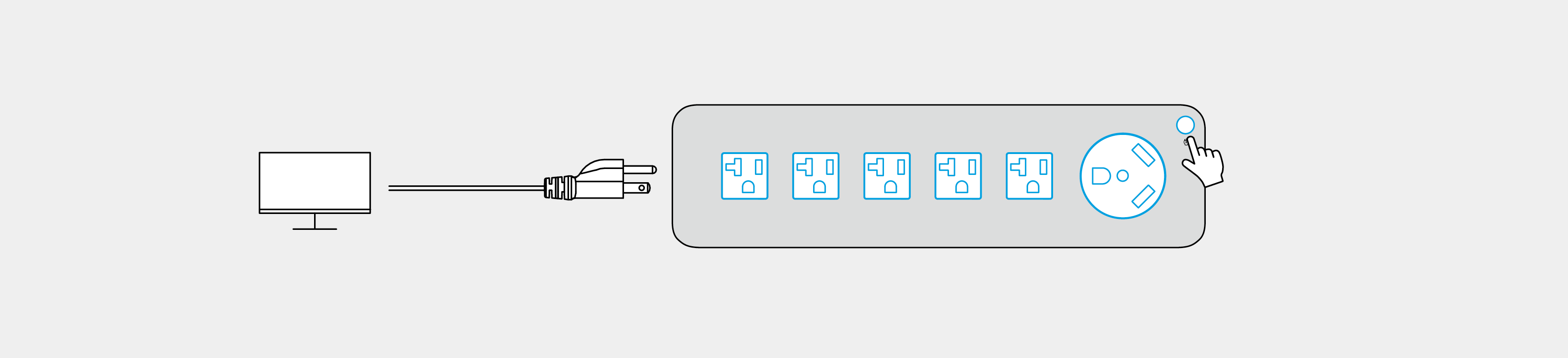
Press the AC output button and connect your devices with the AC output ports.
The power station supports the SurgePad™ feature for up to 3,000W AC output.
• SurgePad™ automatically turns on when the total output exceeds the rated output, allowing the power station to deliver power to high-wattage devices.
• SurgePad™ does not function in bypass mode (when the power station is being charged with the AC power.
• SurgePad™ works better with devices that generate heat, but does not support precision instruments and other devices that have voltage protection or strict voltage requirements. To see if SurgePad™ works with your high-wattage devices, try powering them with the power station.
Connect your devices to USB ports.
To reduce power consumption and prolong the usage time, when power station detects that the USB output power is less than 1W for a long time, it will determine that your device is fully charged and turn off the USB output automatically. To restart the output, just unplug and plug the USB cable again.

Press the car socket button and connect your devices to the car socket.
The car socket can intelligently identify whether a plug is inserted. It helps prevent power waste by automatically turning off the car socket charging if no plug is detected for more than 5 hours. This feature is enabled by default, and you may disable it in Settings.

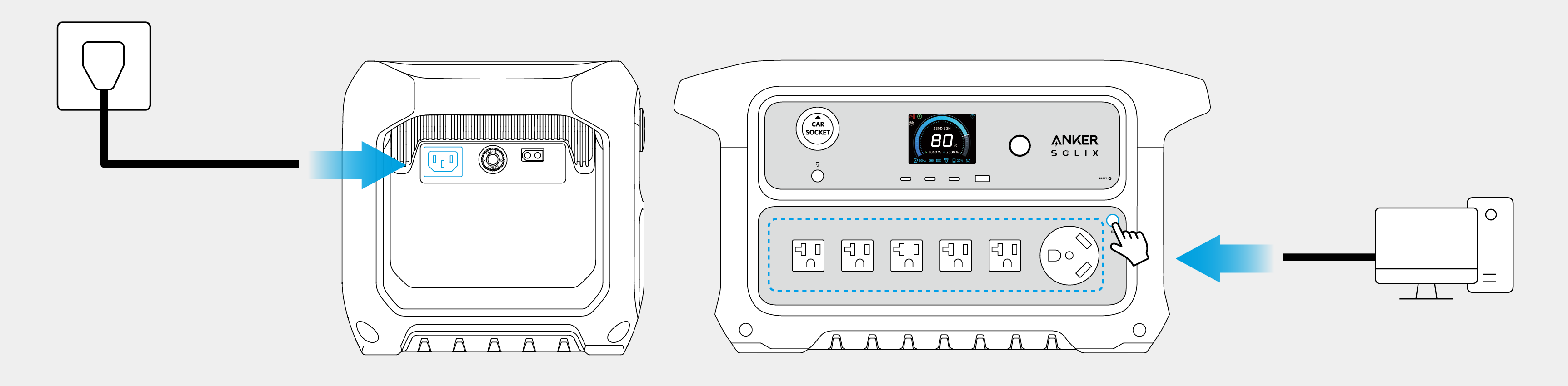
Uninterruptible Power Supply (UPS)
Anker SOLIX C2000 Gen 2 supports UPS. When you connect your power station to an AC outlet while power your devices via the AC output ports on the power station, the AC power from the grid will directly supply to your devices. In the event of a power outage, the power station can automatically switch to the battery powered supply within 10ms.
|
|
• You can remotely control your power station using the Anker app. • The information below may not list all of the features available on the Anker app. To ensure access to new and improved features, download updated versions of the app as they become available. |
1. Download the Anker app from the App Store (iOS devices) or Google Play (Android devices), or by scanning the QR code.

2. Sign in or create an account. Please be reminded that the country or region must match where you live. An incorrect country or region may cause the device connection to fail.

3. Follow the in-app instructions to add C2000 Gen 2 and complete the setup.
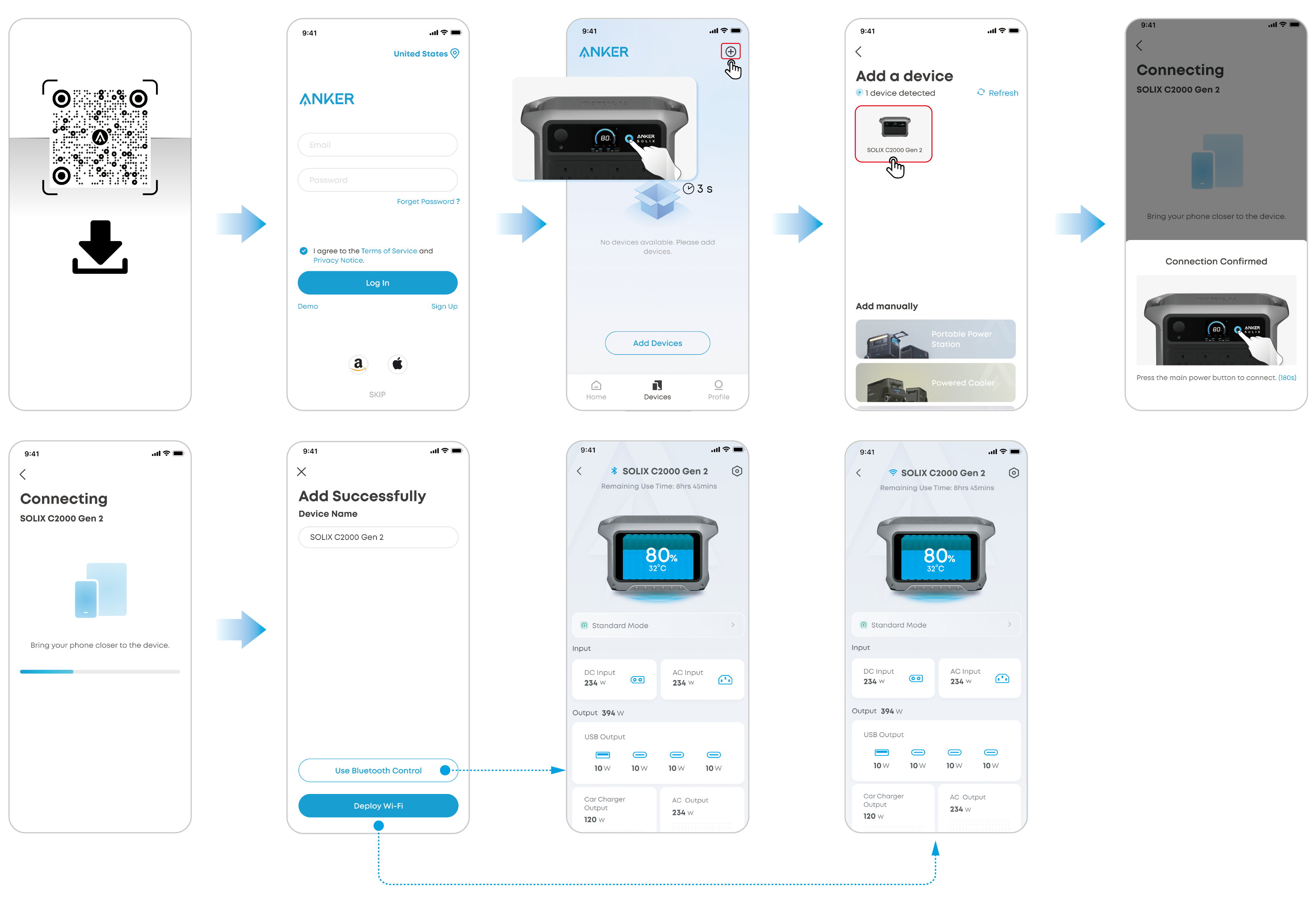
You will be informed once a new firmware version is detected when you connect the power station to the app. During the update, ensure the battery level of the power station is above 5% and connected to Wi-Fi or Bluetooth.
The upper charging limit and lower discharging limit of the power station can be set in the app. When recharging the power station, once the selected upper charging limit is reached, the recharging will automatically stop. When charging a device by power station, it will stop once the selected lower discharging limit is reached. This feature allows the battery to improve performance.
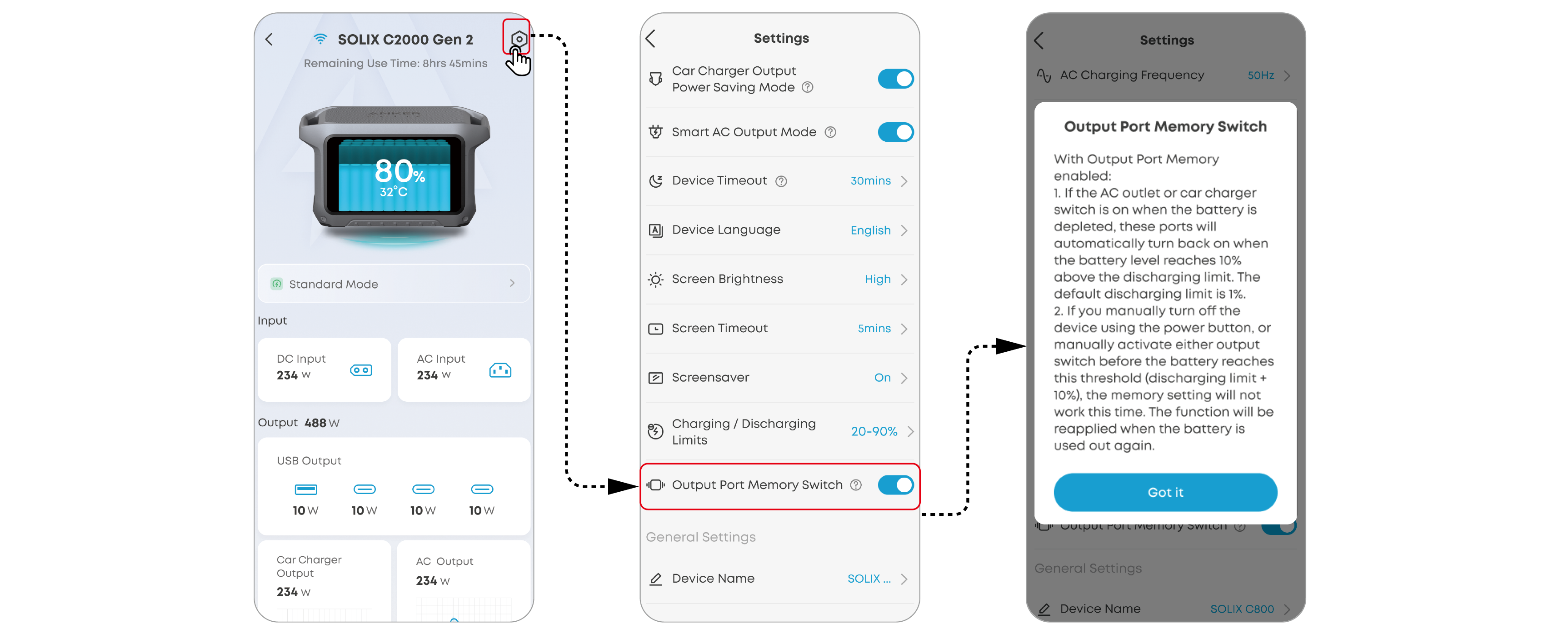
Output Port Memory
The output port memory switch can be turned on or off in the app.
On: If the power station is powered off due to abnormal operating conditions or low battery level, it will automatically memorize the on/off status of AC output and car charger ports. When the power station is recovered to a normal condition or recharged to the State of Charge (SOC) lower limit plus 10%, the on/off status of AC and DC output ports will be restored.
Off: The power station will not automatically memorize the on/off status of AC output or car charger ports.
Standard Mode is the default mode if no other mode is selected.
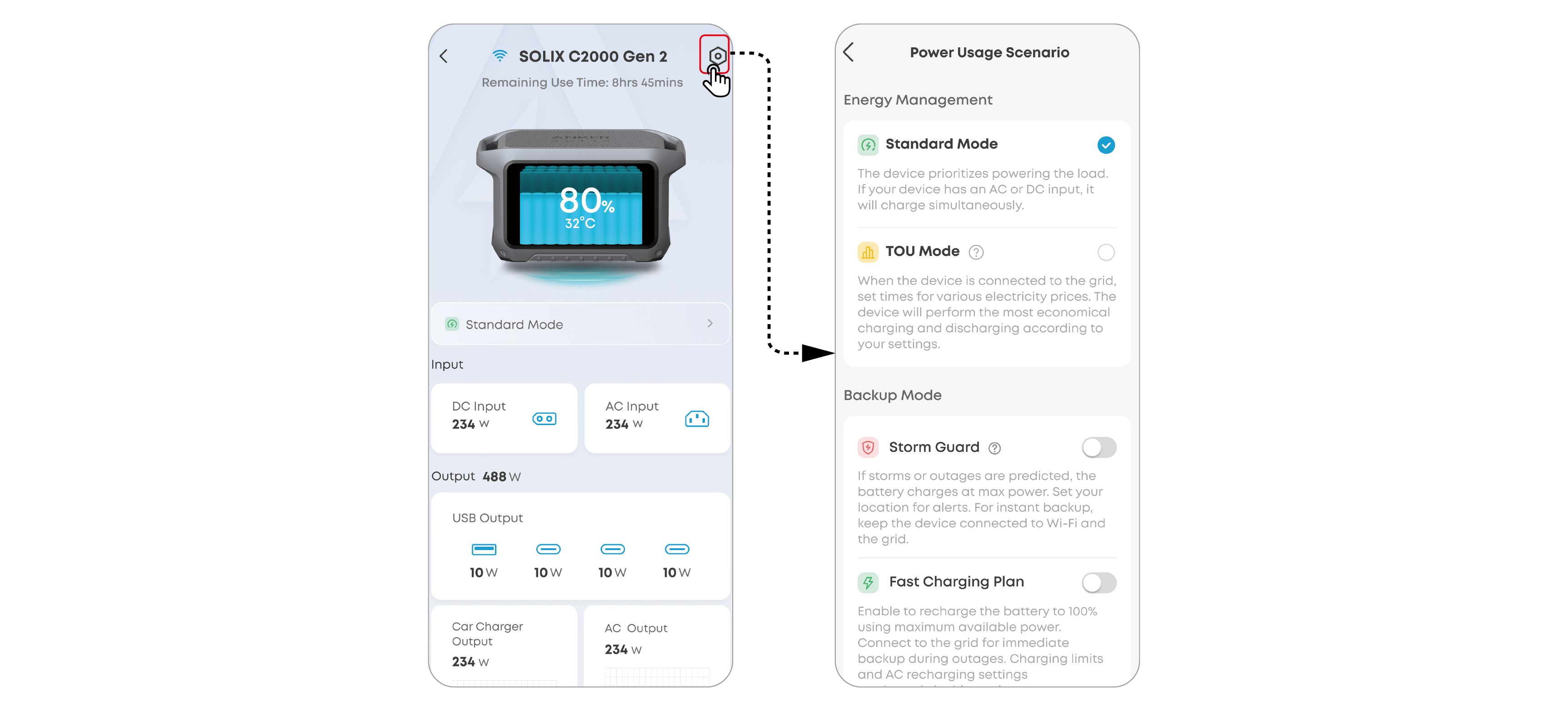
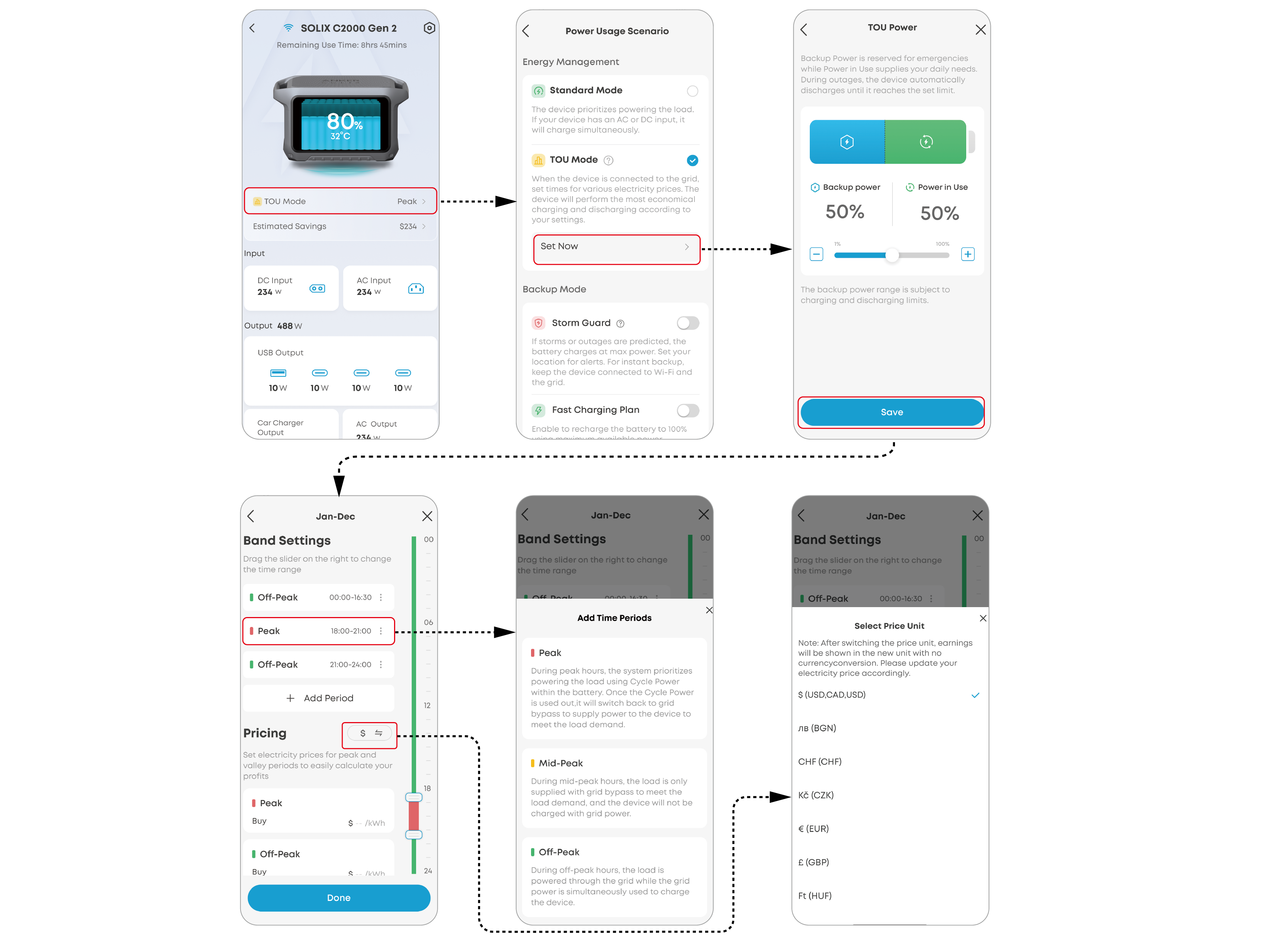
Set time-of-use periods for automatic power scheduling to minimize costs. The power station will schedule its battery charging and discharging depending on the period settings.
Under this mode:
- If the power station's state of charge (SOC) is below the Backup Power level, the power station will function the same as the Standard Mode.
- If the SOC is higher than the Backup Power level, the power station will adopt different power use strategies in different TOU periods.
|
Period |
AC Output Ports |
DC Output Ports / Car Socket |
Power Station Recharging |
|
Peak |
Power source priority: 1. Photovoltaic Power 2. Power Station Batteries 3. Grid |
Power source: Power Station |
Power source: Photovoltaic Power (excess power beside load demand) (Power Station will not be charged from the grid when its SOC is higher than the Backup Power level.) |
|
Mid-Peak |
Power source priority: 1. Photovoltaic Power 2. Grid (Power Station will not supply power to AC output ports.) |
Power source: Power Station |
Power source: Photovoltaic Power (excess power beside load demand) (Power Station will not be charged from the grid when its SOC is higher than the Backup Power level.) |
|
Off-Peak |
Power source priority: 1. Photovoltaic Power 2. Grid (Power Station will not supply power to AC output ports.) |
Power source: Power Station |
Power source priority: 1. Photovoltaic Power (excess power beside load demand) 2. Grid |
Storm Guard
When Storm Guard is enabled, the power station will receive weather notifications based on your location and perform recharging at the fastest speed before severe weathers. Under this mode, the power station will be fully charged regardless of the preset charging limit or AC recharging limit.
Fast Charging Plan
When Fast Charging Plan is enabled, the power station will perform recharging at the fastest speed in the time periods you set. Under this mode, the power station will be fully charged regardless of the preset charging limit or AC recharging limit.
1. What is the maximum power output of the AC output ports?
The AC output ports can deliver a maximum of 2,400W rated power to connected devices.
2. What should I do when using a DC input to charge Anker SOLIX C2000 Gen 2 Portable Power Station?
1) Use Anker original wiring to achieve better charging performance. Please note that the XT60i input port supports 11V to 60V input voltage. When the input voltage is between 11V and 28V, the maximum input current is 8.2A. When the input voltage is between 28V and 60V, the maximum input current is 17A, and the maximum input power is 800W.
2) When charging with multiple solar panels, ensure that each solar panel is connected in parallel, and the input voltage is less than or equal to 60V, otherwise the power supply may be damaged.
3. Can the USB-C ports charge the power station (input only), or are they output only?
The USB-C ports support output only.
4. What should I do when AC recharging fails?
If AC recharging does not work, check if the overload protection switch is turned on. If it is on, press to reset and then continue recharging.

5. Why is the power station not working after it hasn't been used for a long time?
If the power station is stored at a low capacity for a long time, lithium batteries will self-consume power which may lead to a quick discharge. This often leads to poor conductivity and a reduced battery lifespan that causes the battery not to work.
6. How should I store and maintain the power station?
To store your portable power station, please make sure that you:
(1) Power off the power station when not in use to avoid battery power loss.
(2) Store in a dry and cool area.
(3) Check battery capacity each month. If the battery level is below 30%, charge to 100%.
(4) If the power station will not be used for an extended period, fully charge it to 100% at least once every three months.
7. Can solar charging and AC charging be performed simultaneously?
Yes. When solar and AC charging are performed at the same time, the power station prioritizes maximizing the use of solar energy for charging, and the remaining charging capacity is supplemented by AC charging.
8. Why can't my device work with the power station's AC output?
Some devices require a neutral-ground bond to function properly. The power station uses a floating ground design, so you'll need to purchase a ground neutral plug. Simply plug the ground neutral plug into one of the AC outlets on the power station, and your device will work as expected.
9. How should I enable/disable the IoT functionality?
The Bluetooth broadcasting will be auto-enabled/disabled as you power on/off the power station.
If you want to reset the connection, power off the power station and press the the main power button for 7 seconds until the resetting icon appears on the screen. Then you can reset the connection following the instructions on the Anker app.
|
Rated Battery Capacity |
51.2VDC / 40,000mAh / 2,048Wh |
|
AC Input Port (Charging) |
120V~15A Max, (<3 hours), 1,800W Max, 12A (continuous), 60Hz, L+N+PE |
|
AC Input / Output Port (Bypass Mode) |
120V~15A Max, 1,800W Max, 60Hz, (<3 hours when current exceeds 12A), L+N+PE |
|
AC Output Port (Inverter Mode) |
120V~20A, 60Hz, 2,400W Max, L+N+PE |
|
AC Output Port (TT-30) |
120V~20A, 60Hz, 2,400W Max |
|
AC Output Port (Total) |
2,400W Max |
|
XT-60 Input |
11V-28V |
|
Car Charger Output |
12V |
|
USB-A1 Output |
5V |
|
USB-C3 Output |
5V |
|
USB-C2 Output |
5V |
|
USB-C1 Output |
5V |
|
USB-A1 and USB-C3 Total Output |
5V |
|
Discharging Temperature |
-4°F to 104°F / -20°C to 40°C |
|
Charging Temperature |
32°F to 104°F / 0°C to 40°C |
