|
|
|
|
|
|
|
|
|
|
|
|
|
|
|
|
|
|
|
|
|
|
|
|
|
|
|
|
|
|
|
|


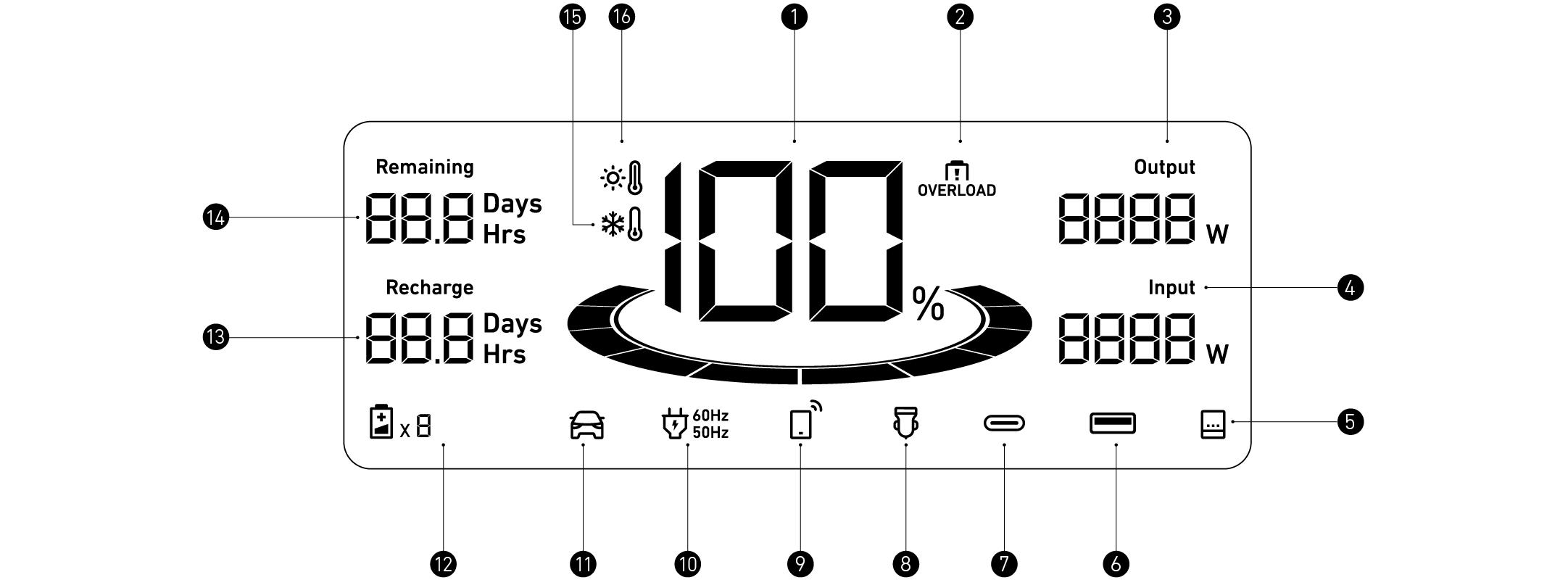
 Remaining Battery for Power Station and Expansion Battery
 Overload Warning
This icon appears when a port is overloaded. The port will turn off to avoid any damage. Please remove the
device causing overload.
 Current Output Power
 Current Input Power
 Whole-Home Power Mode
 USB-A Output Port
 USB-C Output Port
 Car Socket Charging
 IoT
IoT
Press the IoT button once to turn on Bluetooth and Wi-Fi, and connect your devices through the app when this icon appears on the screen.
Press the IoT button for 2 seconds to turn off Bluetooth and Wi-Fi.
Press the IoT button for 7 seconds to reset Bluetooth and Wi-Fi.
 AC Charge and Voltage Frequency
 Electrical Vehicle Charging
 Number of Expansion Battery Connected
When the expansion battery is connected successfully, this icon appears on the screen.
 Estimated Time to Fully Recharge
 Estimated Time for Battery to Deplete
 Low-Temperature Alert
When this icon shows, stop using the power station until the icon disappears.
 High-Temperature Alert
When this icon shows, stop using the power station and let it cool down until the icon disappears.
 When your portable power station only has 1% battery remaining, the "Remaining Battery" indicator will
flicker to remind you to recharge.
The maximum charging power of the power station under different temperatures:
|
Cell Temperature |
AC Input Maximum Power |
AC and Solar Input Maximum Power |
|
0~10°C |
760W |
760W |
|
10~15°C |
1800W |
2000W |
|
15~50°C |
1800W |
3300W |
AC Recharging (1800W Max)
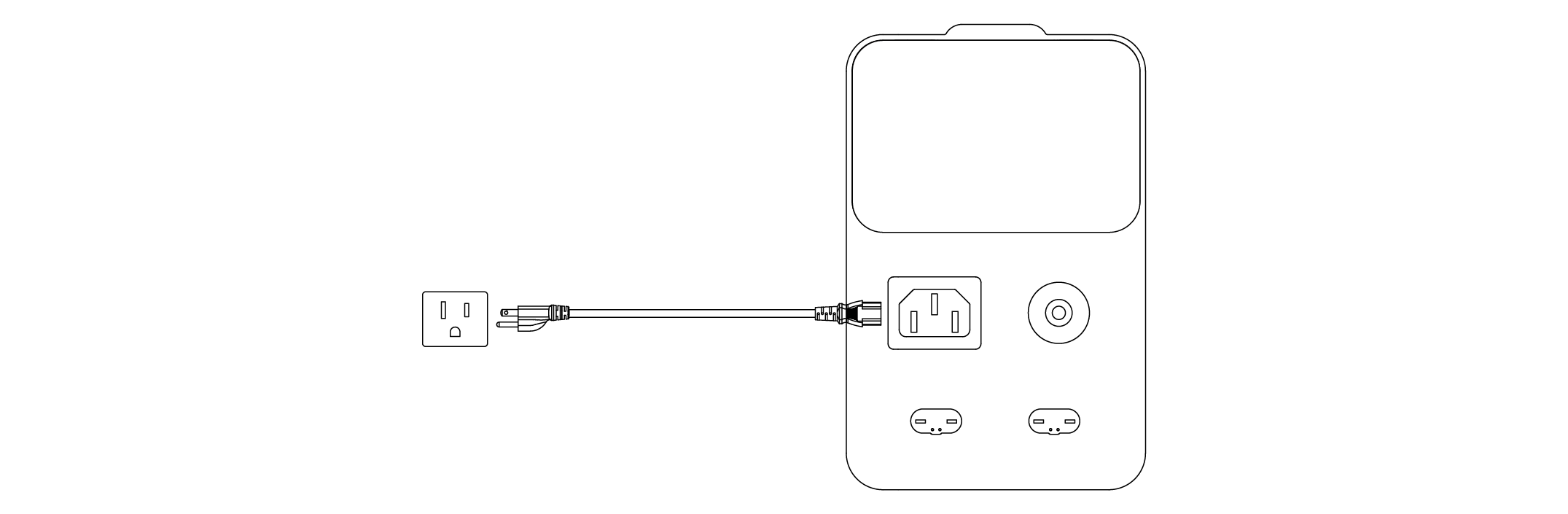
Recharge your power station by connecting to a wall outlet with the AC charging cable. For safety and optimal performance, use the original cable only.
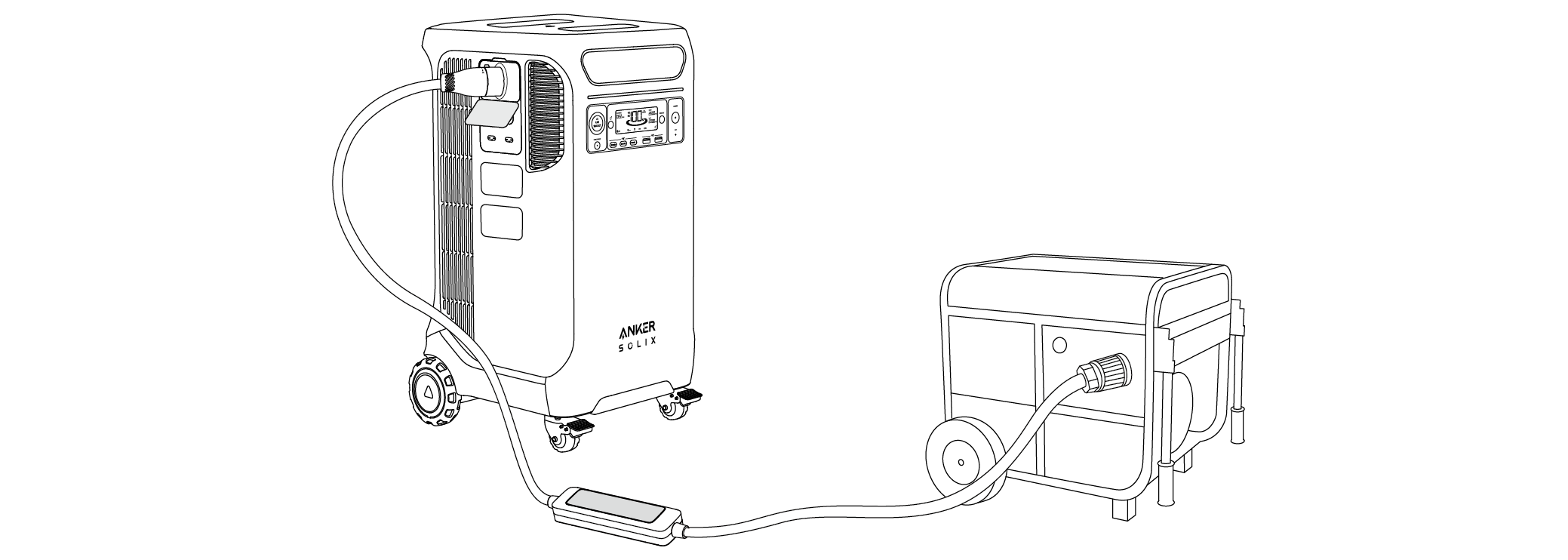
You can purchase Anker SOLIX Generator Input Adapter to connect Anker SOLIX F3800 Plus via the Home Power Panel port. After connecting the 240V Generator, one Anker SOLIX F3800 Plus recharges at a maximum power of 3300W; if Anker SOLIX F3800 Plus is connected to Expansion Batteries, recharging power can be up to 6000W.
|
|
When Anker SOLIX Generator Input Adapter is connected to Anker SOLIX F3800 Plus Portable Power Station, the NEMA 5-20R AC output ports on the power station will be disabled. You can still use the L14-30R or TT-30R ports. |

Solar Panel Recharging (3200W Max)
1. Recharge your power station with a maximum solar input of 3200W.
2. Wiring Instructions:
Series Wiring
|
|
The solar input voltage range for Anker SOLIX F3800 Plus is 11-165V. Ensure the total solar voltage is within this range. Voltage exceeding 165V will damage the product. |

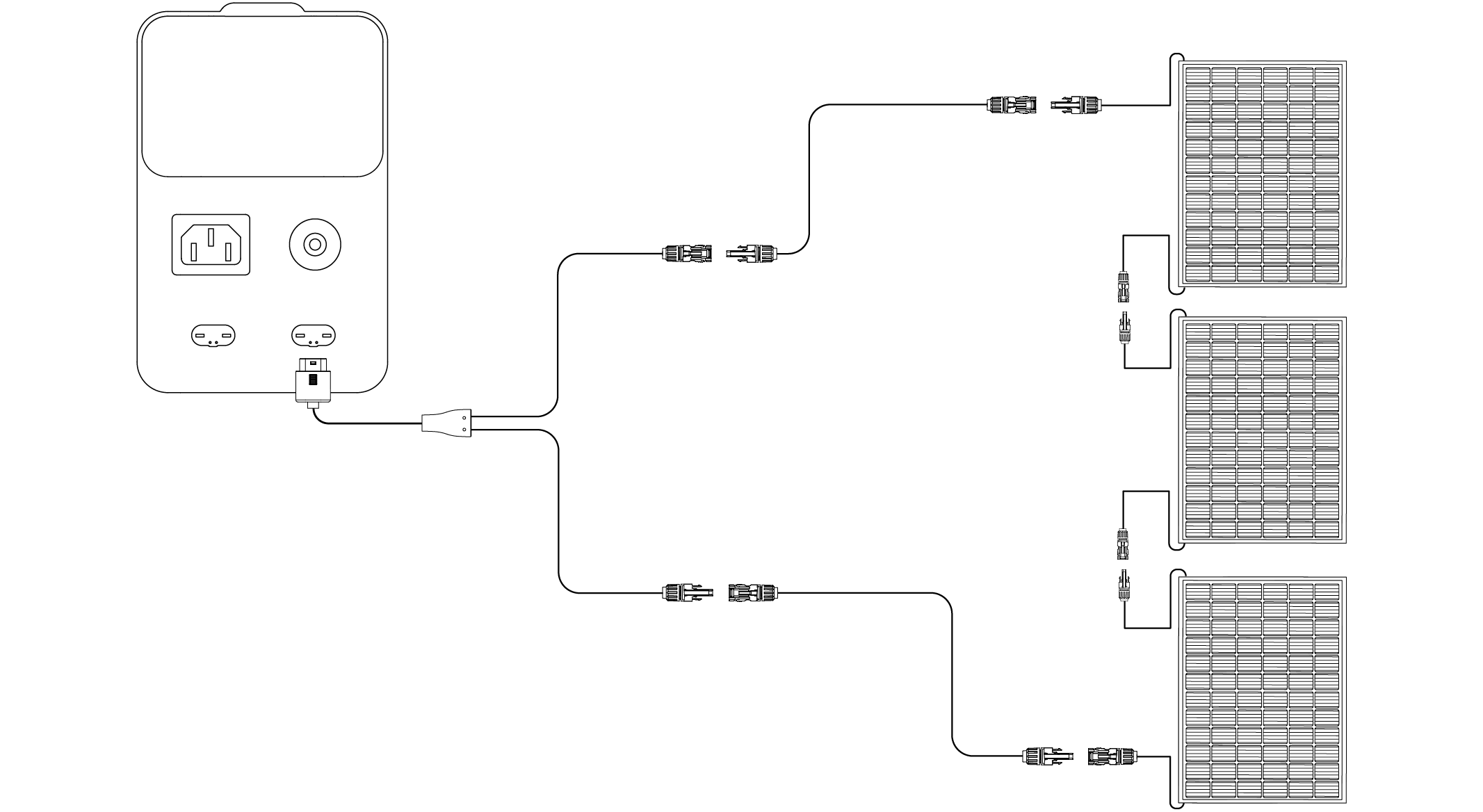
Parallel Wiring
|
|
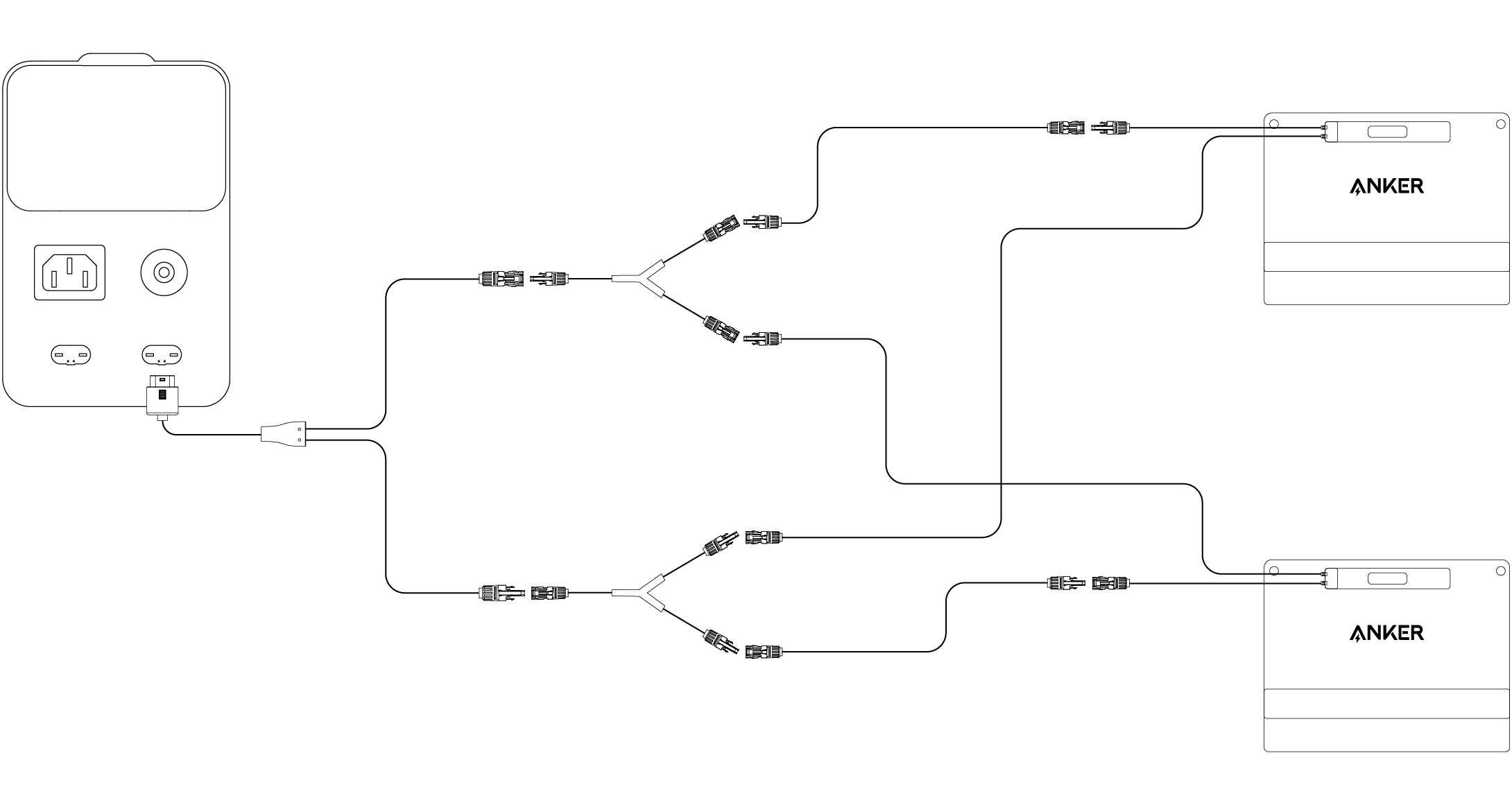
· The solar input current for Anker SOLIX F3800 Plus is 17A. Please ensure the total solar current is near 17A. If it exceeds 17A, the output power of the solar panel cannot be fully utilized. · To connect solar panels in parallel, purchase the Solar Parallel Connection Connector from the Anker official website. Follow the diagram and connect the panels as indicated by the dotted line. · Solar panel extension cables (10ft / 3m) are included in packages for Anker SOLIX portable solar panels. |
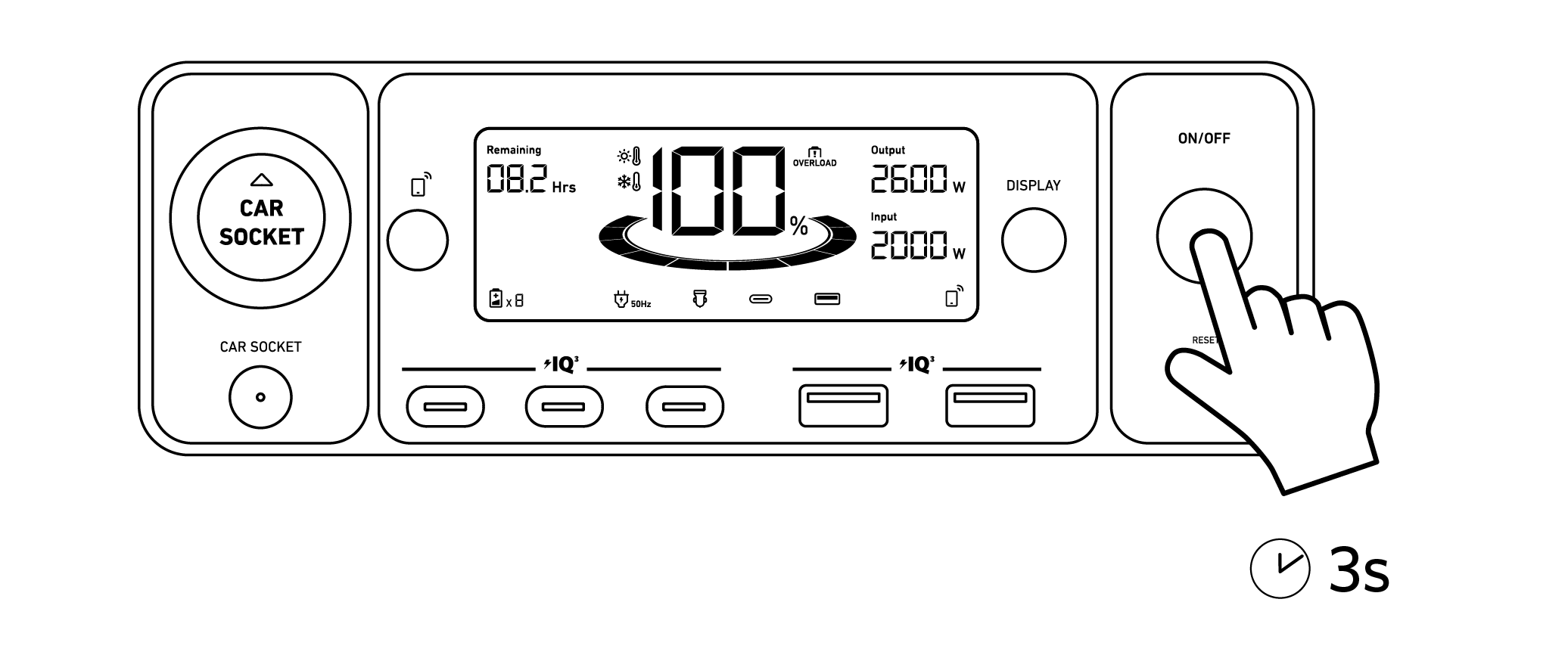
Press the On/Off button for 3 seconds to turn your power station on or off.
When the "Remaining Battery" indicator shows on the LCD screen, your power station is ready to charge devices.vices
|
|
· When powered on, press the DISPLAY button to turn the screen on or off. · The auto-off time can be set in the Anker app. · The power station will power off automatically if the output buttons are turned off and no power loads are detected for 12 hours. The standby duration can be set in the Anker app. |
Press the AC outlet button and connect your devices to the 5-20R output ports.
|
|
· If no AC plug insertion is detected, the AC outlet button will automatically turn off after 15 minutes by default (the auto-off time can be set in Anker app) to save power. · AC charging power can be set in Anker app. |
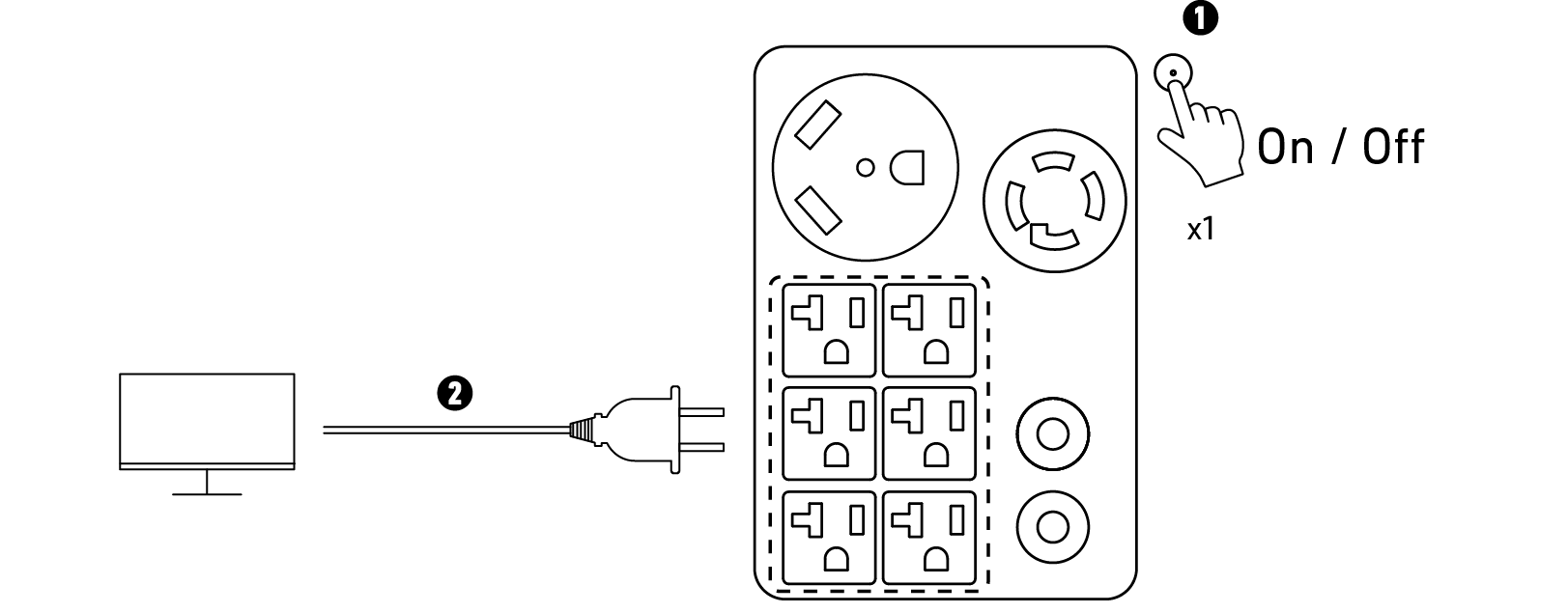
Press the AC outlet button and connect your devices to the TT-30R AC output ports. The max output power via this port is 3000W.
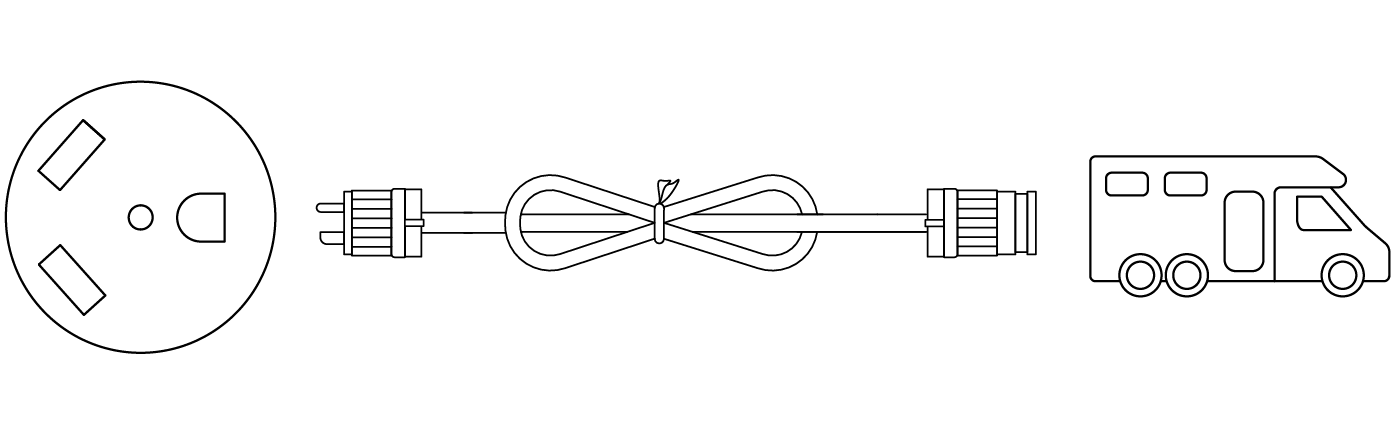
|
|
• To ensure safe power supply with the 240V AC ports, the neutral (N) and ground (PE) wires of the inlet box or transfer switch must be properly connected. Missing neutral (N) and ground (PE) wires may cause appliances damaged on the circuit. • The LRA (Locked Rotor Amps) of Anker SOLIX F3800 Plus is 80A. You will need a soft starter if your air conditioner requires higher LRA to start. |

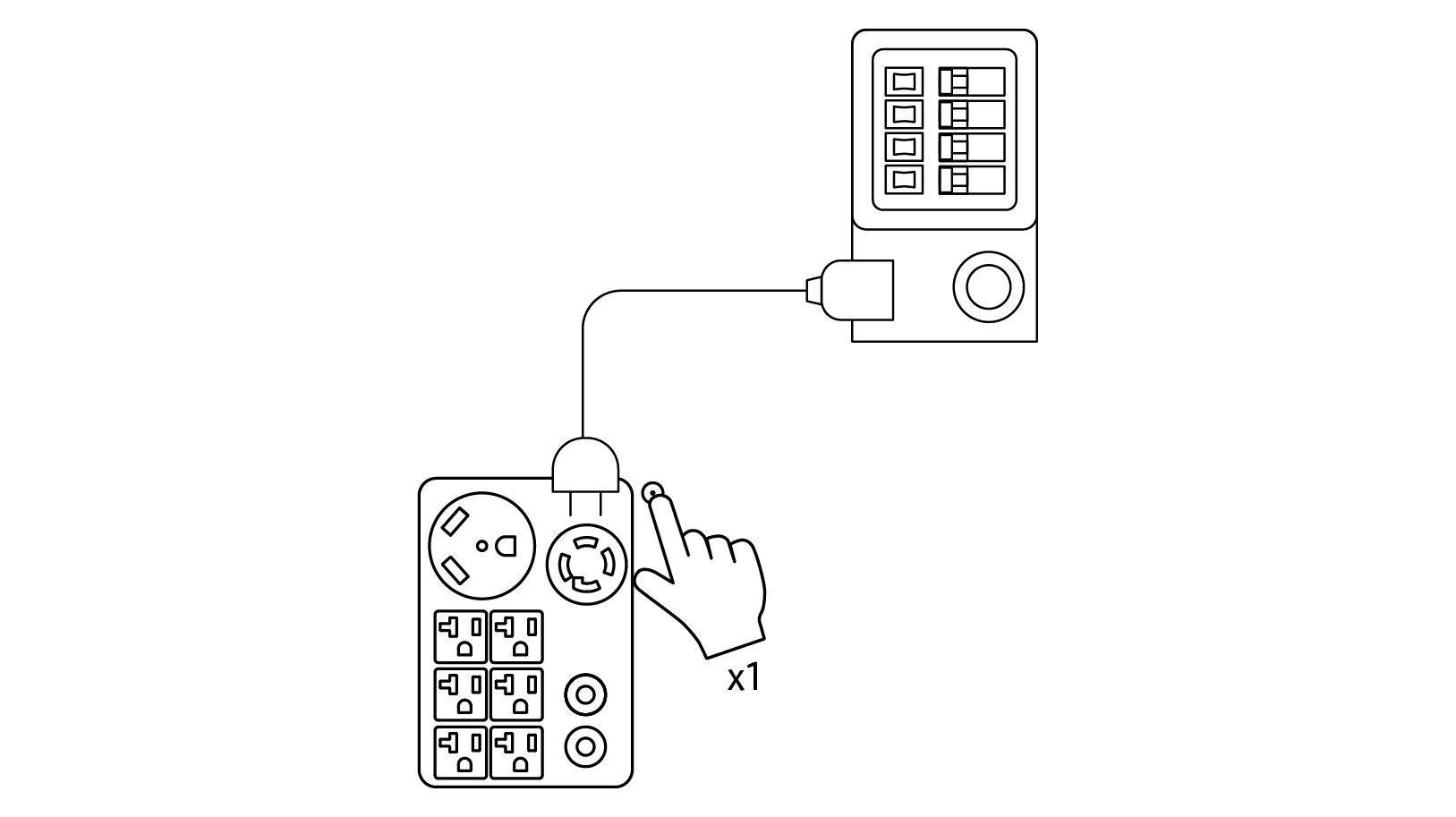
1. Press the AC outlet button and connect the power station to your inlet box or transfer switch via the L14-30R AC output port. The max output power via this port is 6000W.
|
|
To ensure safe power supply to your inlet box or transfer switch via the 240V AC ports, check and confirm that the neutral and ground wires of the inlet box or transfer switch are properly connected. |
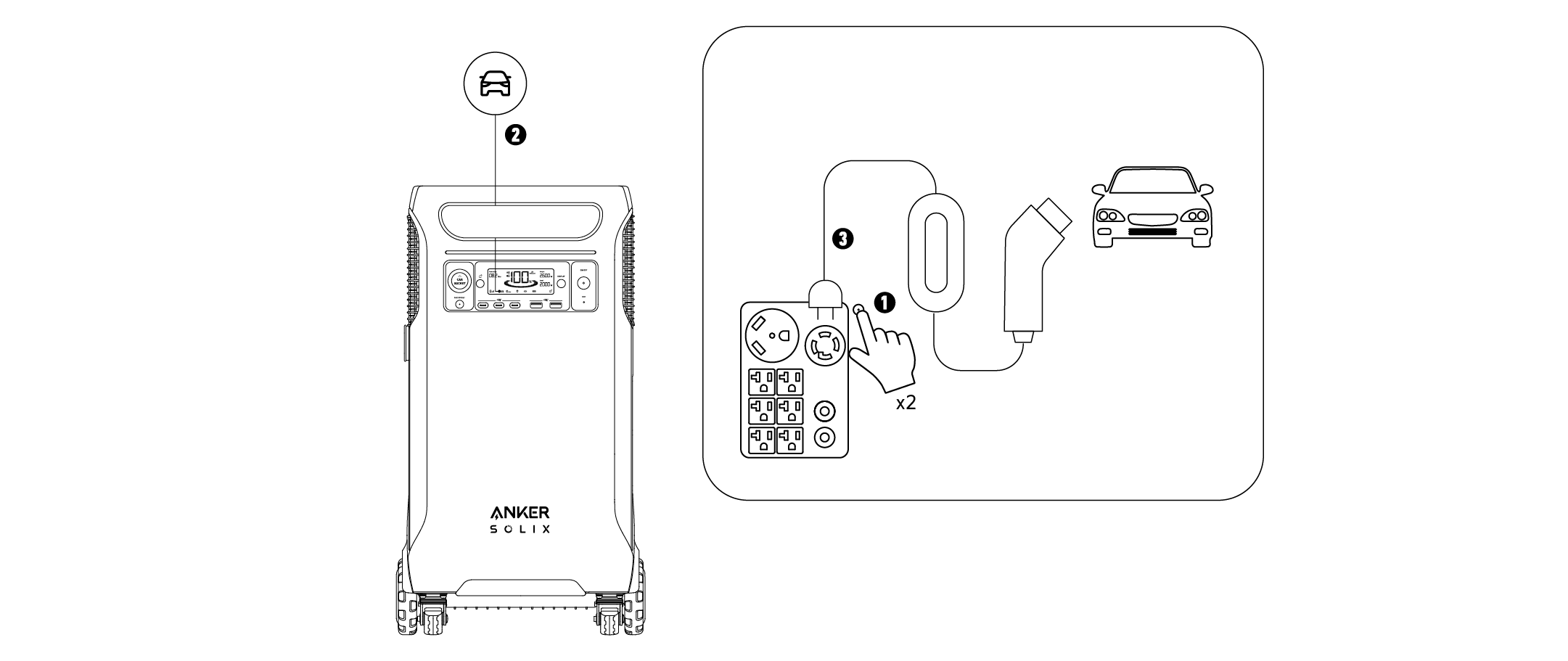
2. Double-press the AC outlet button to turn on EV mode, wait until the car icon appears on screen, then connect your device to the L14-30R AC output port. When the power station is in EV Charging mode, it cannot be charged via AC simultaneously.
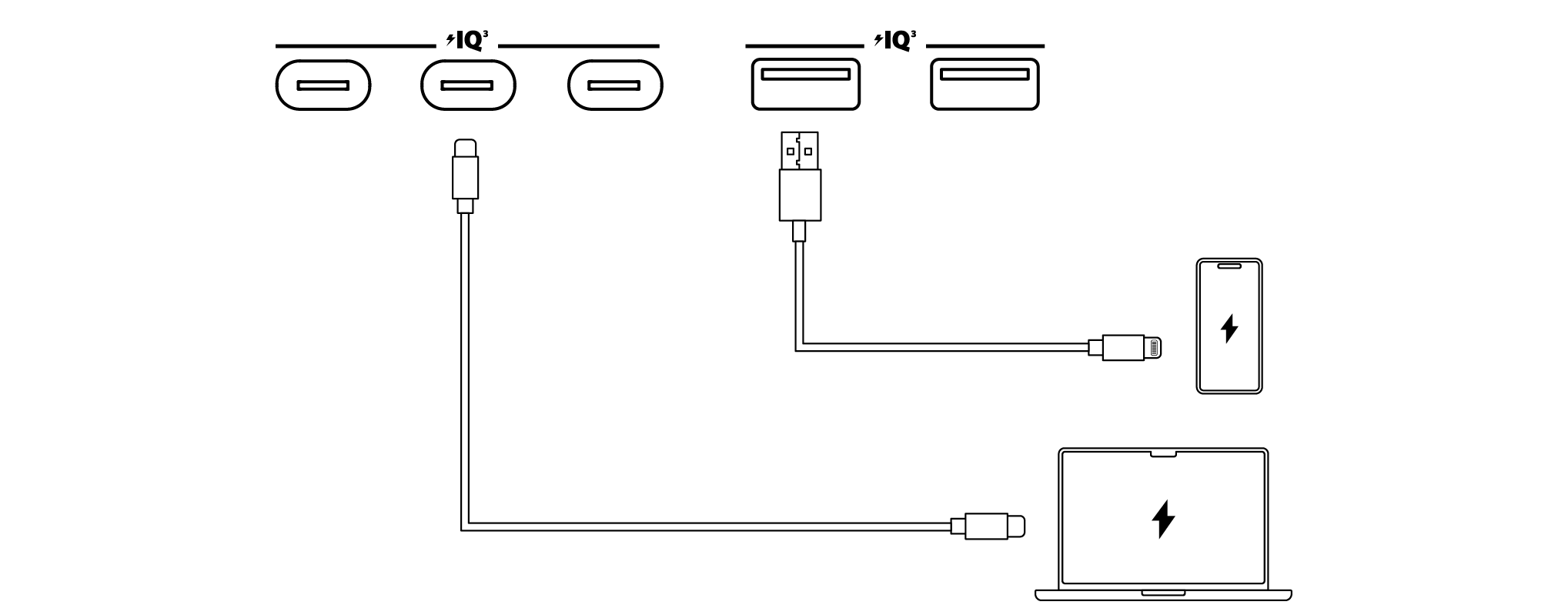
Connect your devices to the USB ports.
|
|
If the output current of the USB port remains below 60mA continuously for two hours, the USB charging will automatically stop to save power. |
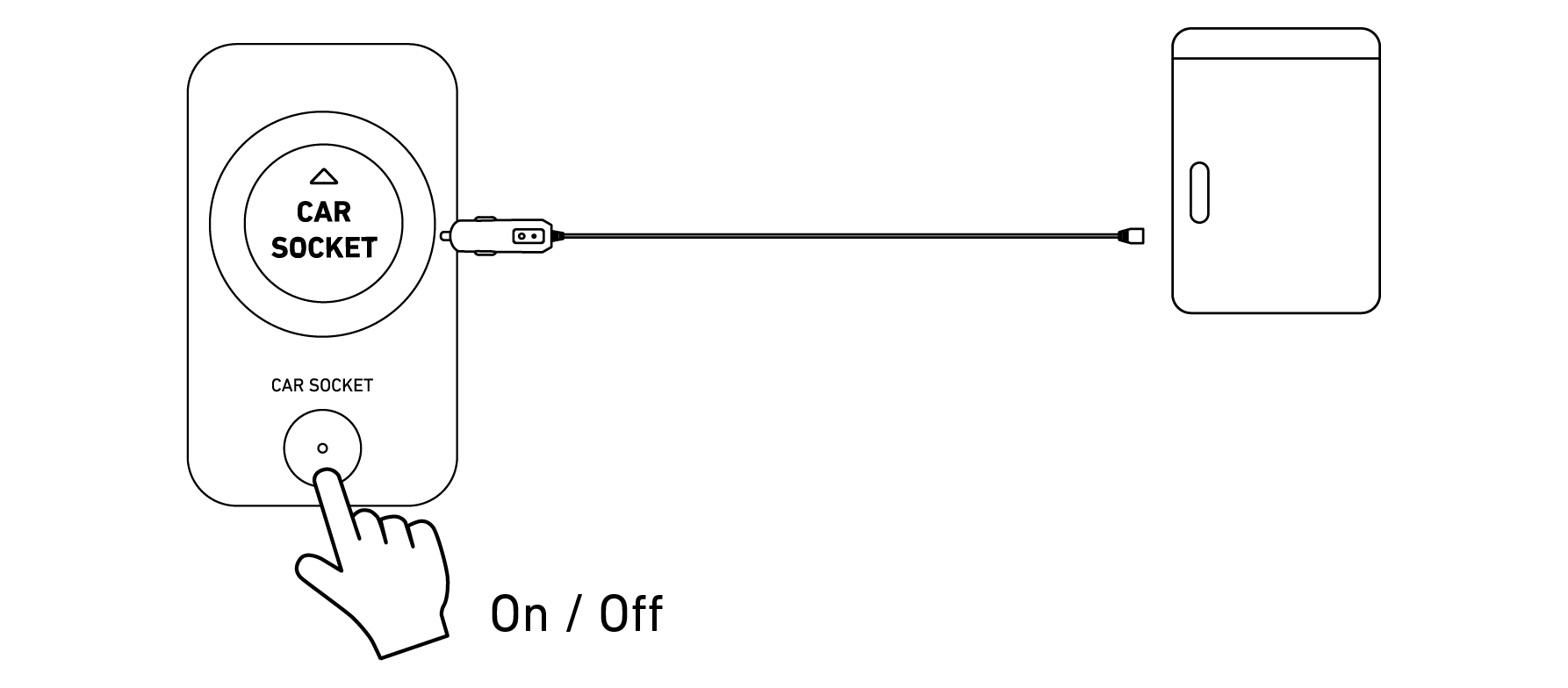
Turn on the car socket and connect your devices to start charging.
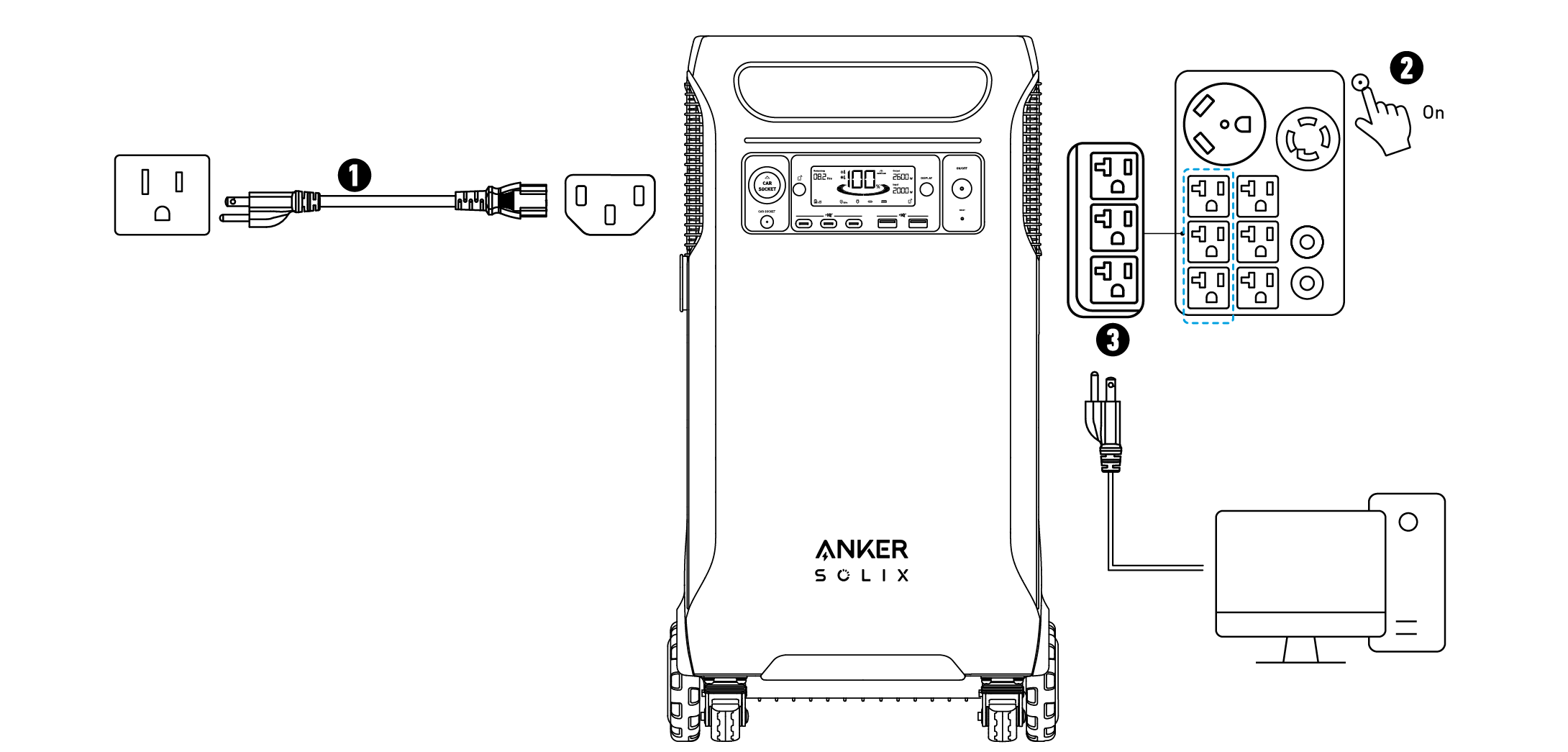
Uninterruptible Power Supply (UPS)
To use the UPS feature, connect your power station to a wall outlet with the AC charging cable, then press the AC outlet button and connect your devices via the UPS AC output ports.
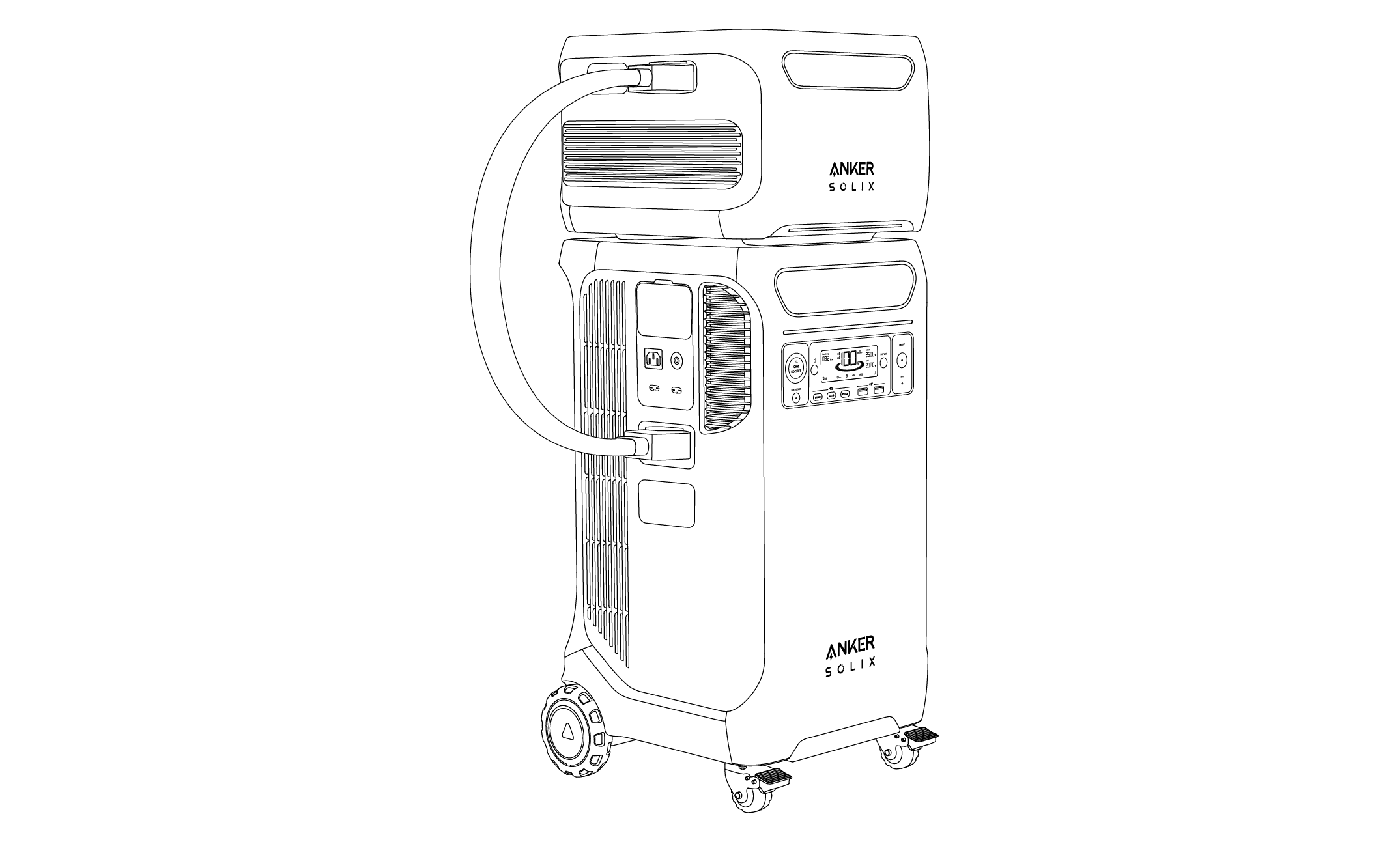
Connect With an Expansion Battery
You can purchase Anker SOLIX BP3800 Expansion Batteries and connect them with your power station to increase the capacity up to 26880Wh. Please refer to the user manual of Anker SOLIX BP3800 Expansion Battery for detailed instructions.
Connect with Anker SOLIX Home Power Panel
You can purchase Anker SOLIX Home Power Panel to enhance your home backup and power utility. Please refer to the user manual of Anker SOLIX Home Power Panel for detailed instructions.
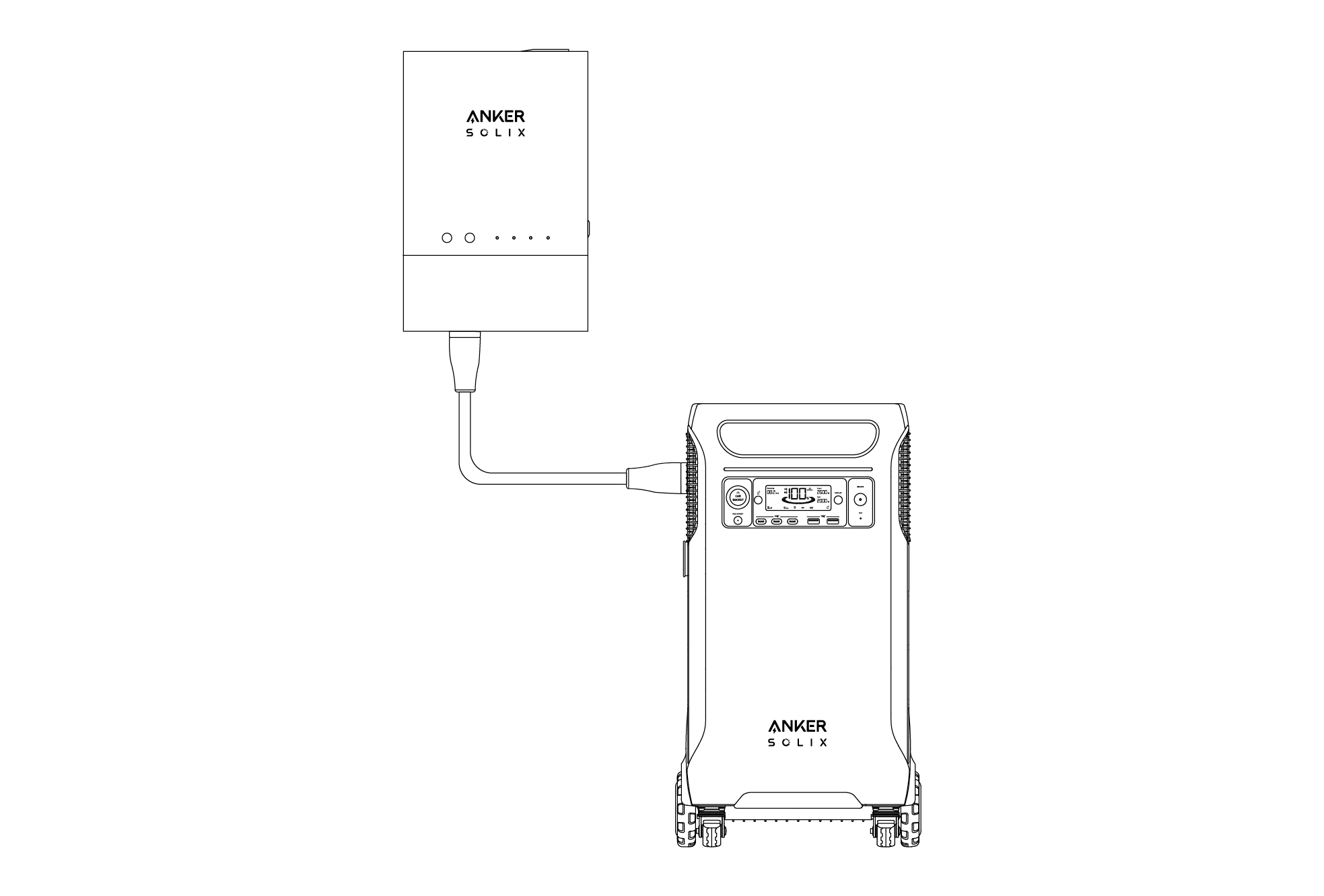
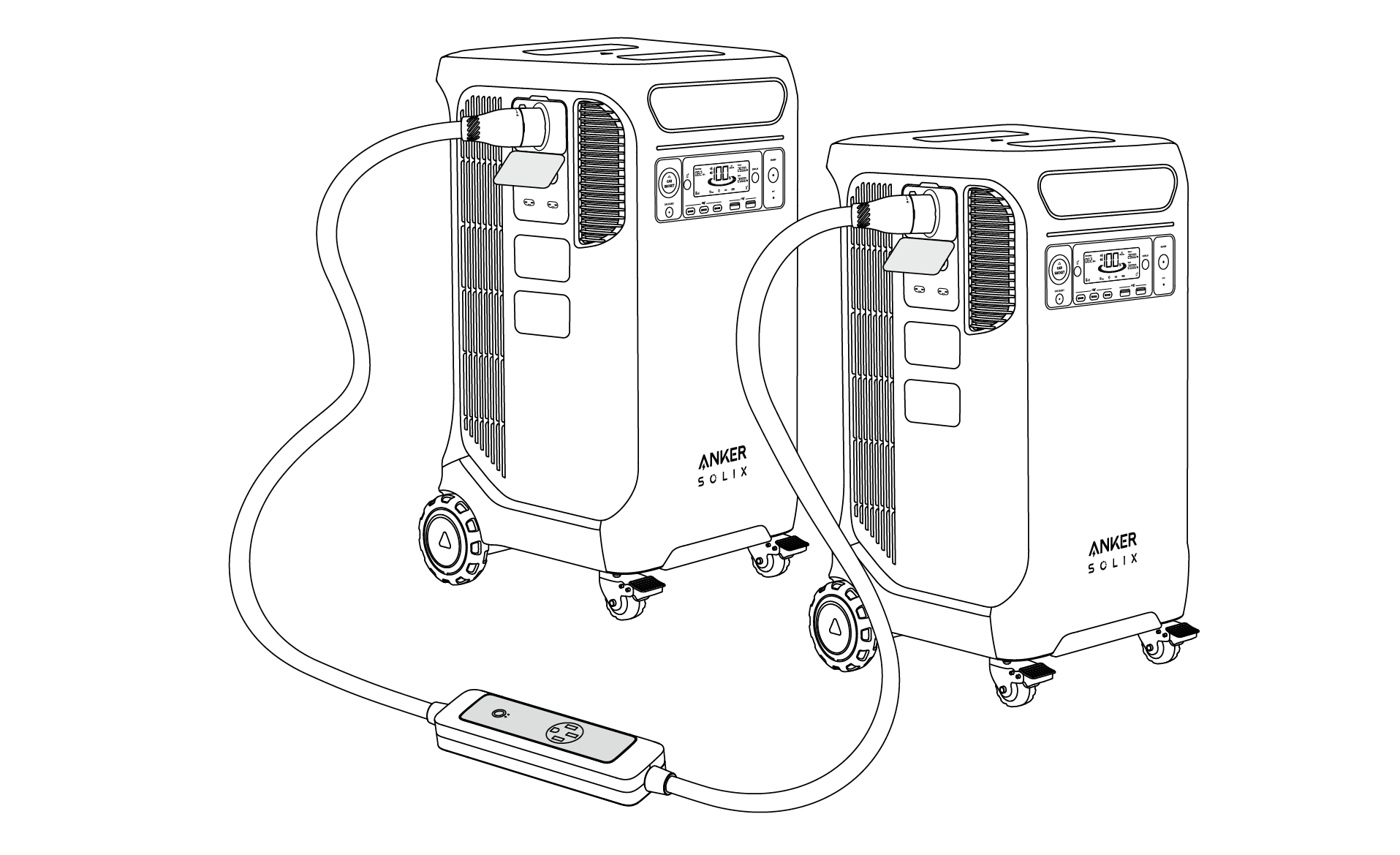
Connect Two Anker SOLIX F3800 Plus Power Stations
You can purchase Anker SOLIX Double Power Hub to connect two Anker SOLIX F3800 Plus Stations via the Home Power Panel ports to double power output. Anker SOLIX Double Power Hub can output a maxtimum power of 12000W. Please refer to the user manual of Anker SOLIX Double Power Hub for detailed instructions.
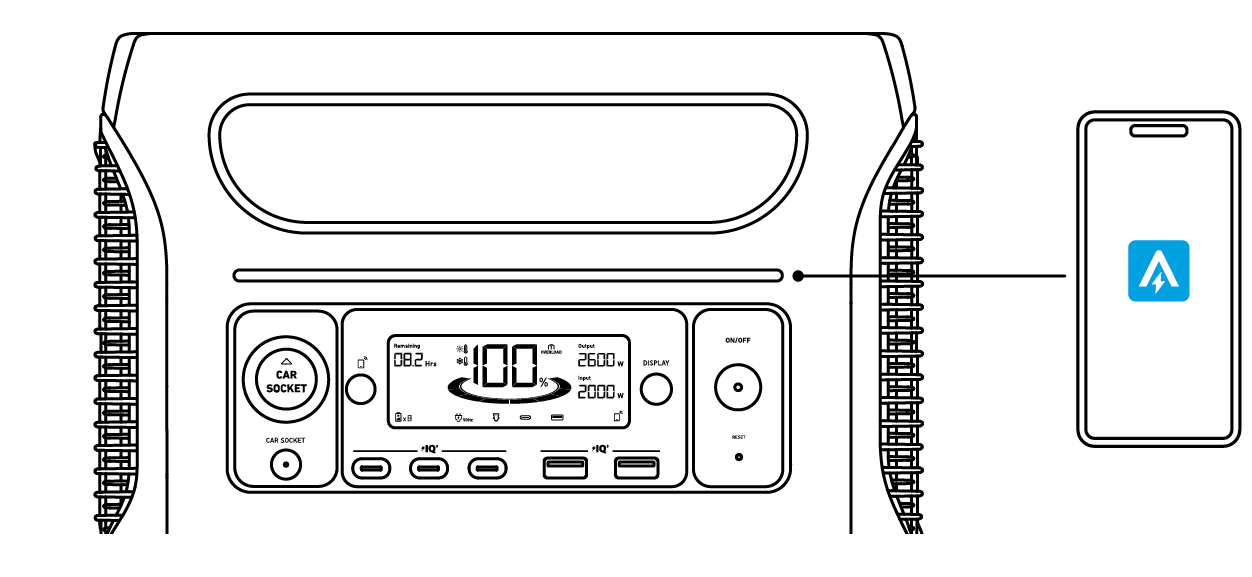
You can remotely control your power station using the Anker app.
1. Download the Anker app from the App Store (iOS devices) or Google Play (Android devices), or by scanning the QR code.

2. Connect the device to a network before using the app for the first time. After connecting successfully, you can connect your device off-grid.
3. Firmware update: You will be informed once a new firmware version is detected when you connect the power station to the app. During the update, ensure the power station is being charged and connected to Wi-Fi.
Turn on/off the light on Anker App.
1. Lay the power station flat.
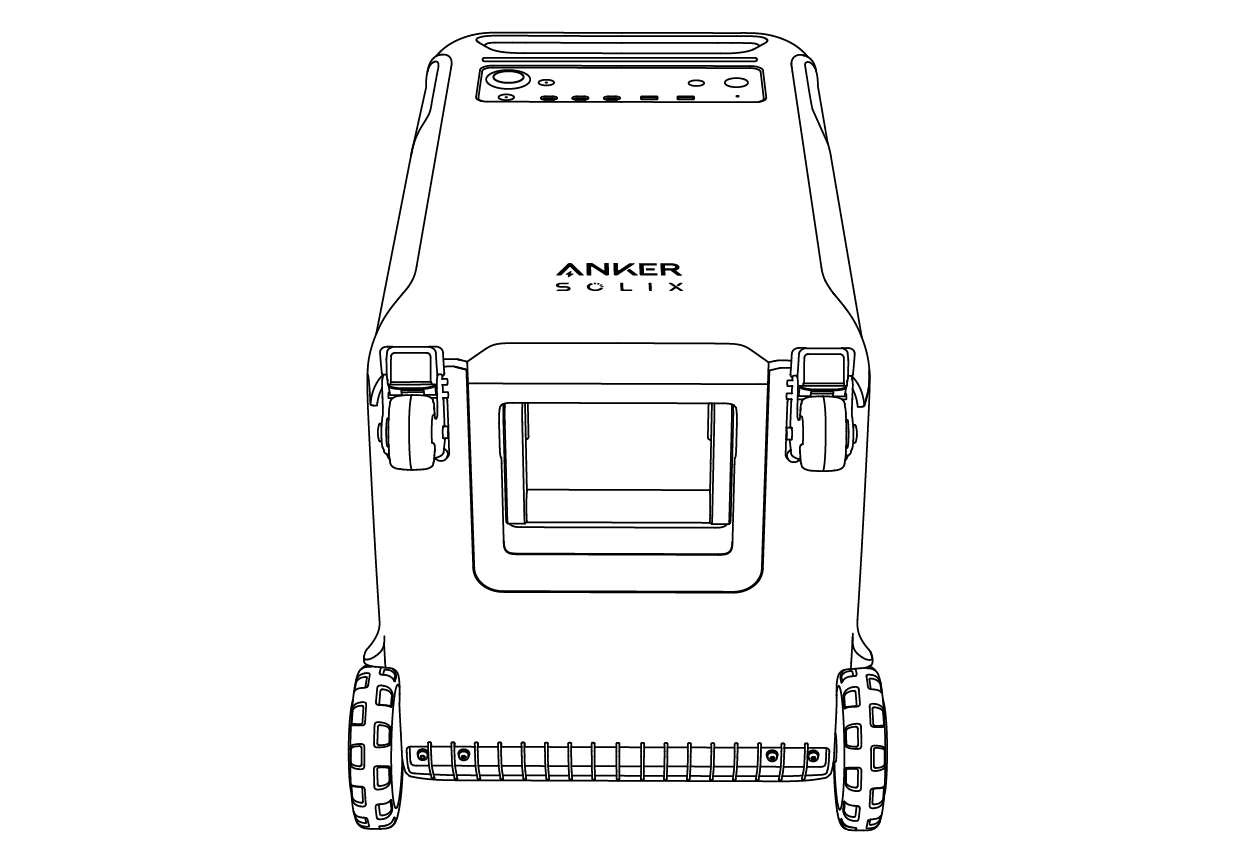
2. Open the bottom folding handle.
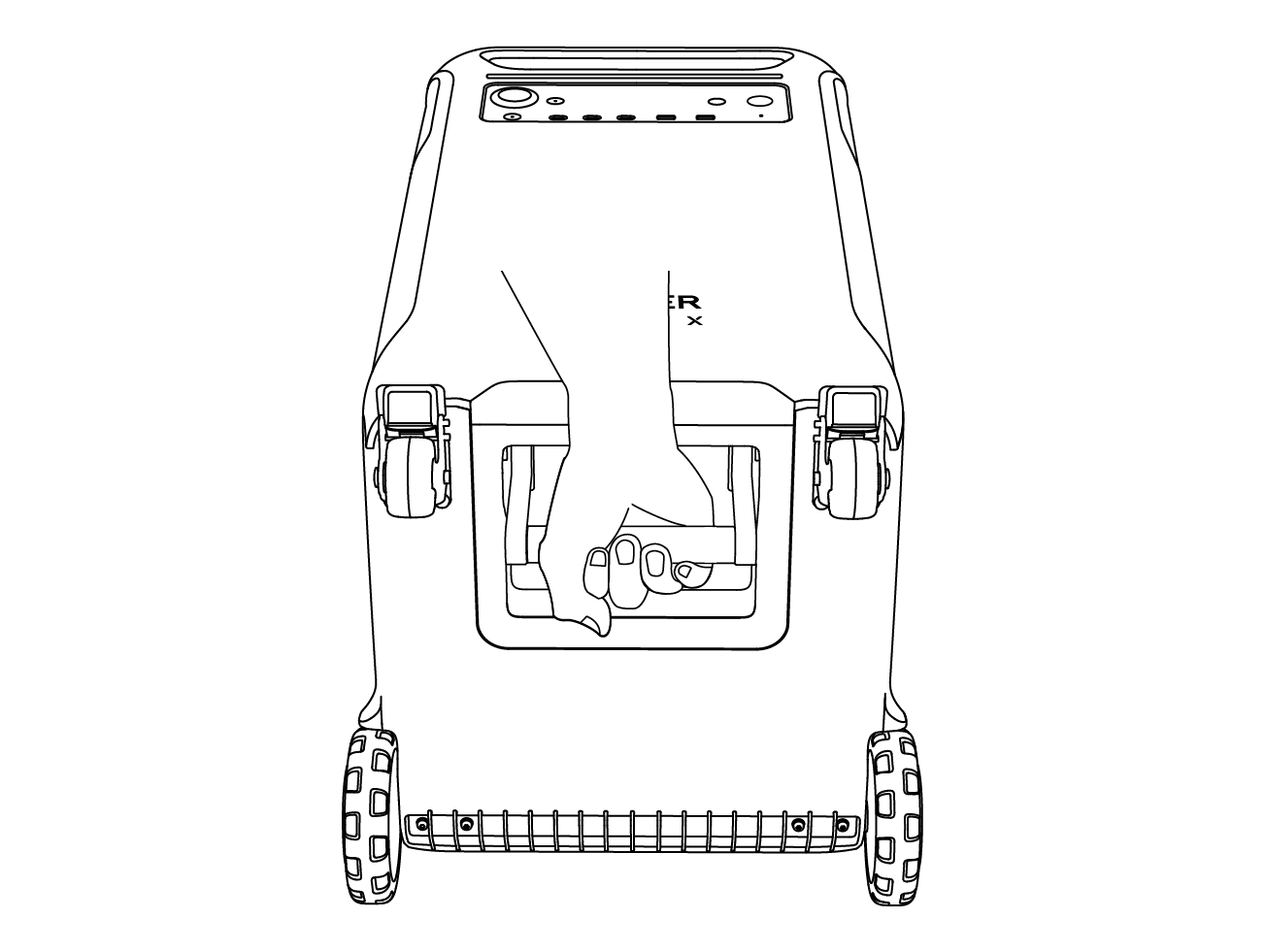
3. Grab the bottom and top handles to lift the power station.
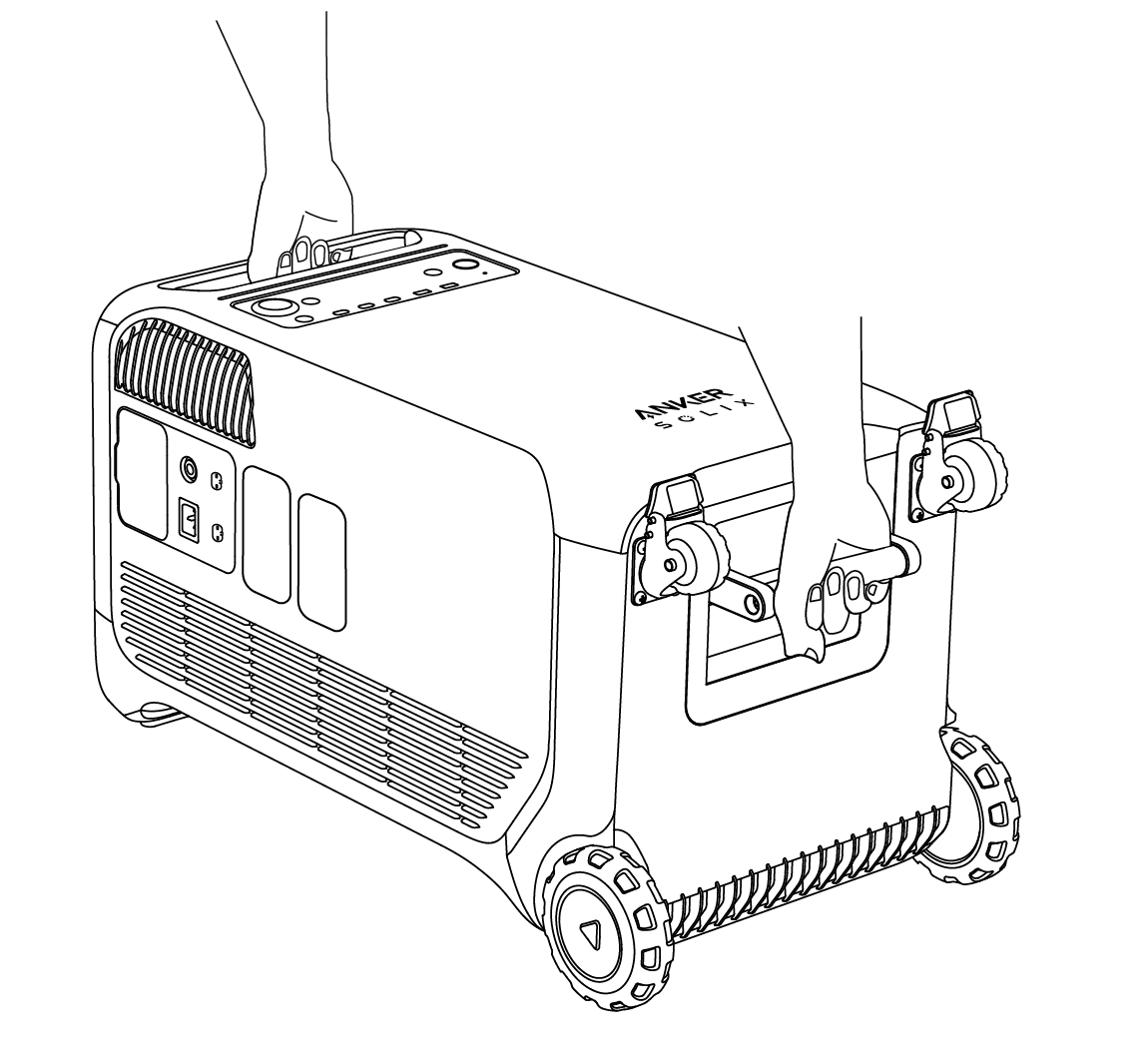
Q1: What is the maximum power output of the AC output ports?
The AC output ports can deliver a maximum of 6000W to connected devices. Each group of NEMA 5-20R AC output ports can deliver 2400W (120V/20A) of power.
Q2: What should I do when using a solar charger to charge my power station?
Anker SOLIX F3800 Plus Portable Power Station has 2 solar input ports. Each solar input port supports an
11-165V solar charger with a solar charging connector, the current supports 17A max.
Q3: Can the USB-C ports charge the power station (input only), or are they output only?
The USB-C ports support output only.
Q4: What should I do when AC recharging fails?
If AC recharging does not work, check if the overload protection switch is turned on. If it is on, press down to reset and then continue recharging.
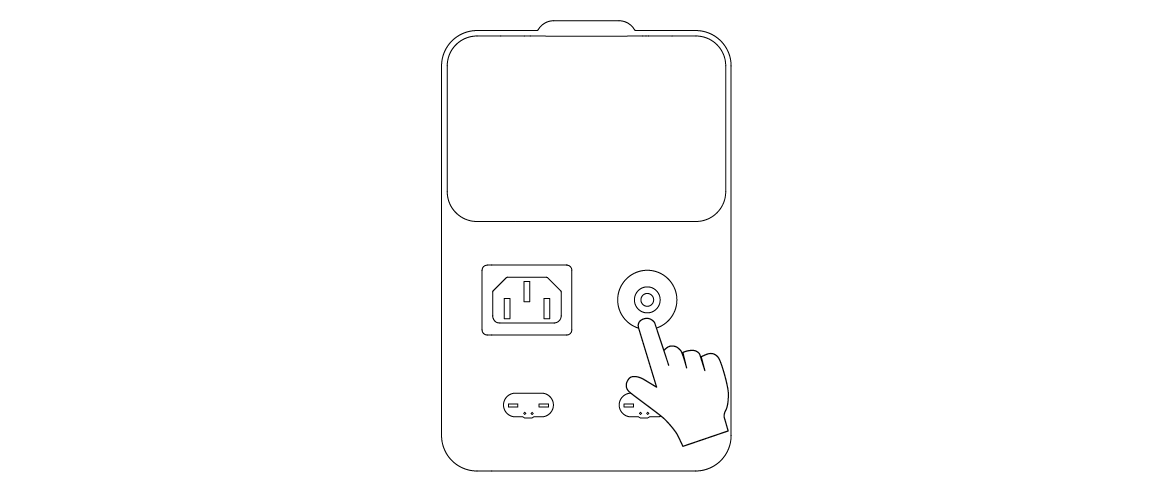
Q5: How do I reset my power station?
If your power station is not working correctly, insert a paper clip or pin into the reset hole for 1 second for a factory reset. If the power station still doesn't work, please contact support@anker.com.
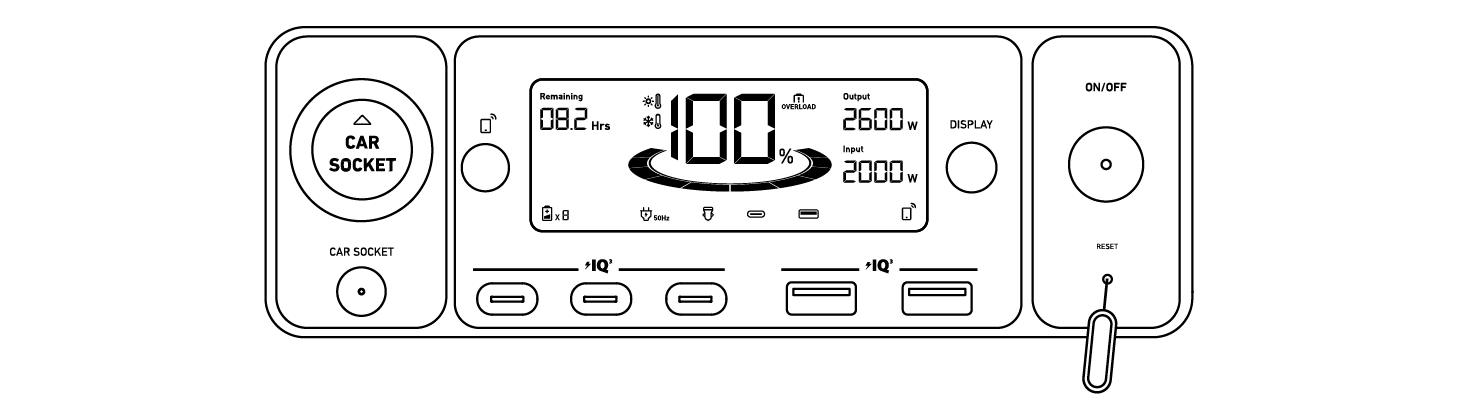
Q6: Why is the power station not working after it hasn't been used for a long time?
If the power station is stored at a low capacity for a long time, LiFePO4 batteries will self-consume power which may lead to a quick discharge. This often leads to poor conductivity and a reduced battery lifespan that causes the battery not to work.
Q7: How should I store and maintain the power station?
When storing your power station, please make sure that you:
1) Turn off the main power button.
2) Store the power station in a dry and cool environment.
3) Check the remaining battery capacity each week. If the battery level is below 30%, fully charge the power station. In addition, charge the battery to 100% every 3 months.
Q8: How do I charge my electric vehicle via the power station?
Double-press the AC outlet button to activate EV mode charging. Make sure to set the charging rate of the EV charger to less than 25A to avoid overloading the output to your electric vehicle, such as a Tesla.
Q9: When recharging Anker SOLIX F3800 Plus Portable Power Station with a 120V AC input, can I use its 240V outlet to charge other devices?
No, when Anker SOLIX F3800 Plus is recharging via the 120V AC input, you can only use its three 120V UPS outlets to charge other devices.
Q10: When recharging Anker SOLIX F3800 Plus Portable Power Station with a 240V generator, can I use its 120V outlet to charge other devices?
Yes. When Anker SOLIX F3800 Plus is recharging via a 240V generator, you can use NEMA L14-30R and TT-30R ports to charge other devices.
|
Battery Type |
LiFePO4 Cell |
|
Cell Part Number |
32140FS-15000mAh |
|
Cell Number |
80 |
|
Cell Capacity |
51.2Vdc 75Ah/3840Wh |
|
AC Input |
120V~ 15A Max (< 3hrs) / 12A Max (continuous), 60Hz, L+N+PE |
|
AC Input Power (Charging) |
1800W Max |
|
AC Input Power (Bypass Mode) |
1440W Max |
|
Solar Panel Input 1 |
11-165V |
|
Solar Panel Input 2 |
11-165V |
|
DC Input Port |
60V Max, 120A Max |
|
Car Charger Output |
12V |
|
Home Panel Power Port |
6000W Max (AC Input), 6000W Max (AC Output), 120V/240V, L1+L2+N+PE |
|
AC Output Power (Total) |
6000W Max |
|
AC Output 1 (the 3 left ports of NEMA 5-20R) |
120V~ 20A Max, 60Hz, 2400W Max |
|
AC Output 2 (the 3 right ports of NEMA 5-20R) |
120V~ 20A Max, 60Hz, 2400W Max |
|
AC Output (NEMA TT-30) |
120V~ 25A Max, 60Hz, 3000W Max |
|
AC Output (NEMA L14-30R) |
120V/240V~ 25A Max, 60Hz, 6000W Max |
|
USB-A Output |
5V |
|
USB-C Output |
5V |
|
UPS |
20ms |
|
Discharging Temperature |
-4°F-104°F / -20°C-40°C |
|
Charging Temperature |
32°F-104°F / 0°C-40°C |
|
Size |
27.6×15.3×15.6 in / 70.2×38.8×39.5 cm |
|
Net Weight |
61.5 kg / 135.6 lb |
